FunktionenFeatures

Alles, was Asto kann: der Launcher auf deinem PC und der Client im Spiel.Everything Asto can do: the launcher on your PC and the client in the game.

LauncherLauncher Client im SpielClient in the game

Der LauncherThe launcher

Der Asto Launcher startet Minecraft, verwaltet deine Profile und bringt alles mit, was du drumherum brauchst.The Asto launcher starts Minecraft, manages your profiles and brings along everything you need around it.

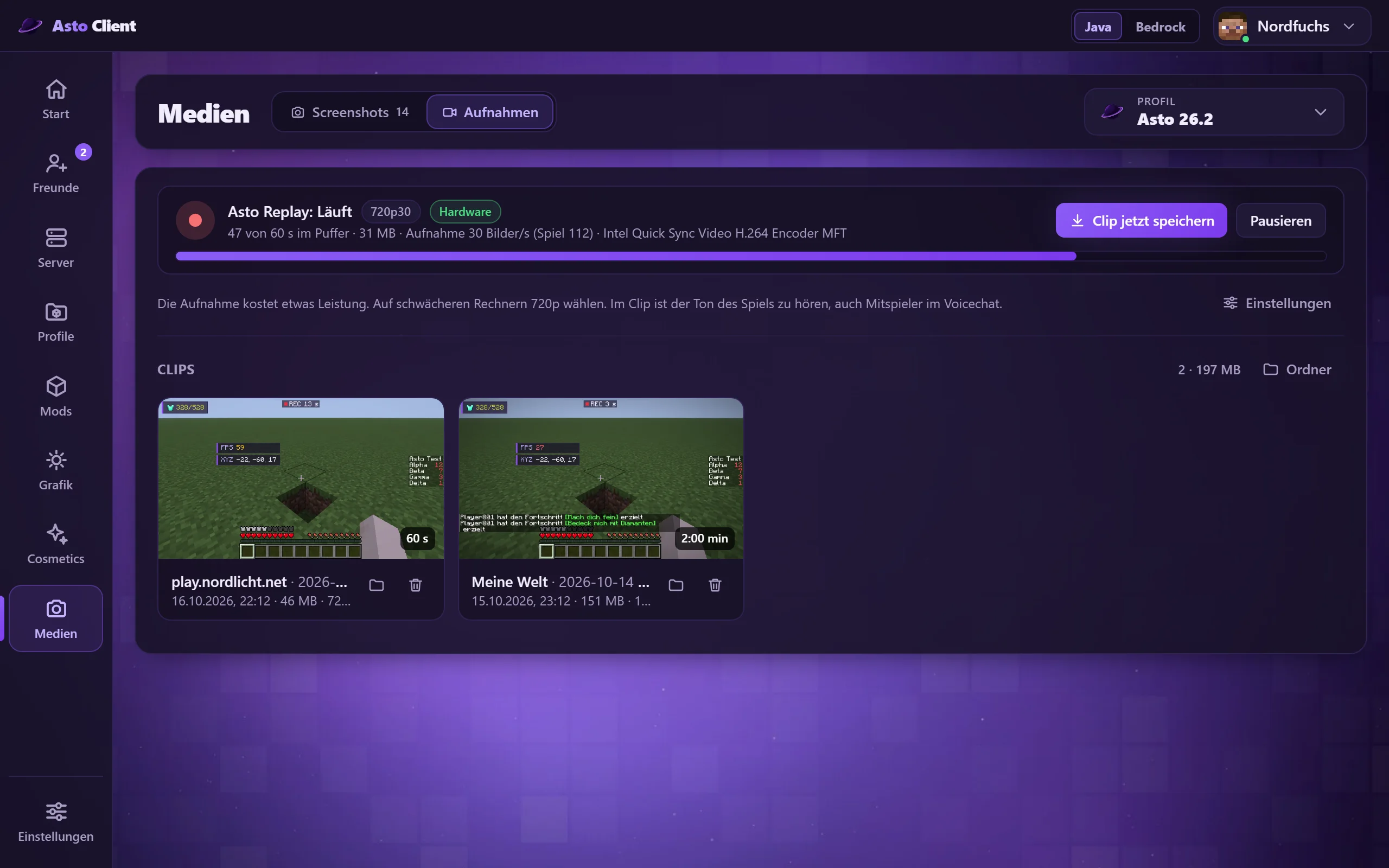
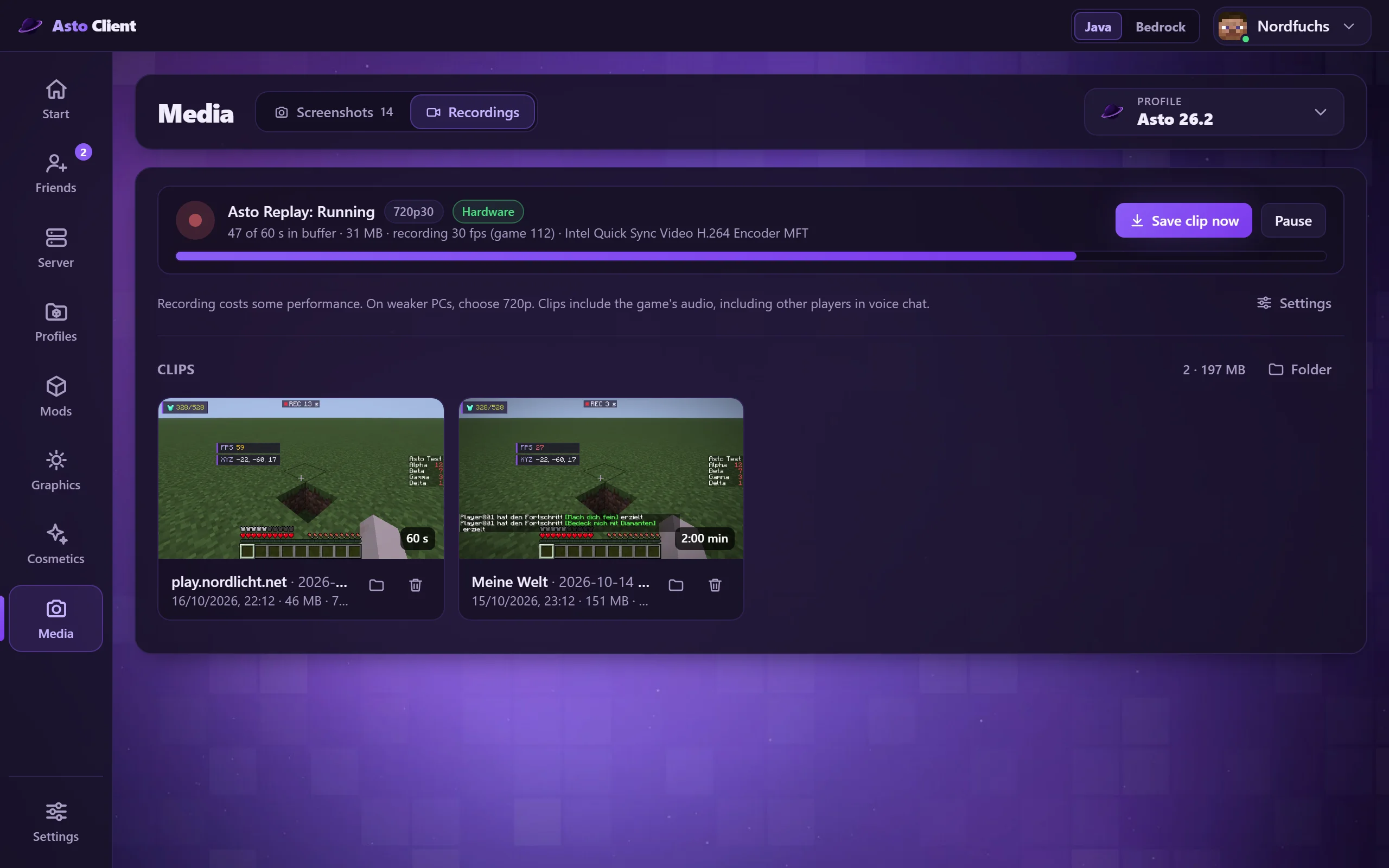
Screenshots und Aufnahmen bearbeitenEdit screenshots and recordings

Alle Bilder und Clips an einem Ort. Nach Datum sortieren, eigene Bilder hinzufügen, Clips kürzen, als GIF speichern oder per Link teilen.

All your pictures and clips in one place. Sort by date, add your own pictures, trim clips, save them as a GIF or share them with a link.

Aufnahmen im Launcher: gespeicherte Clips mit Vorschau Recordings in the launcher: saved clips with previews

Mod-BrowserMod browser

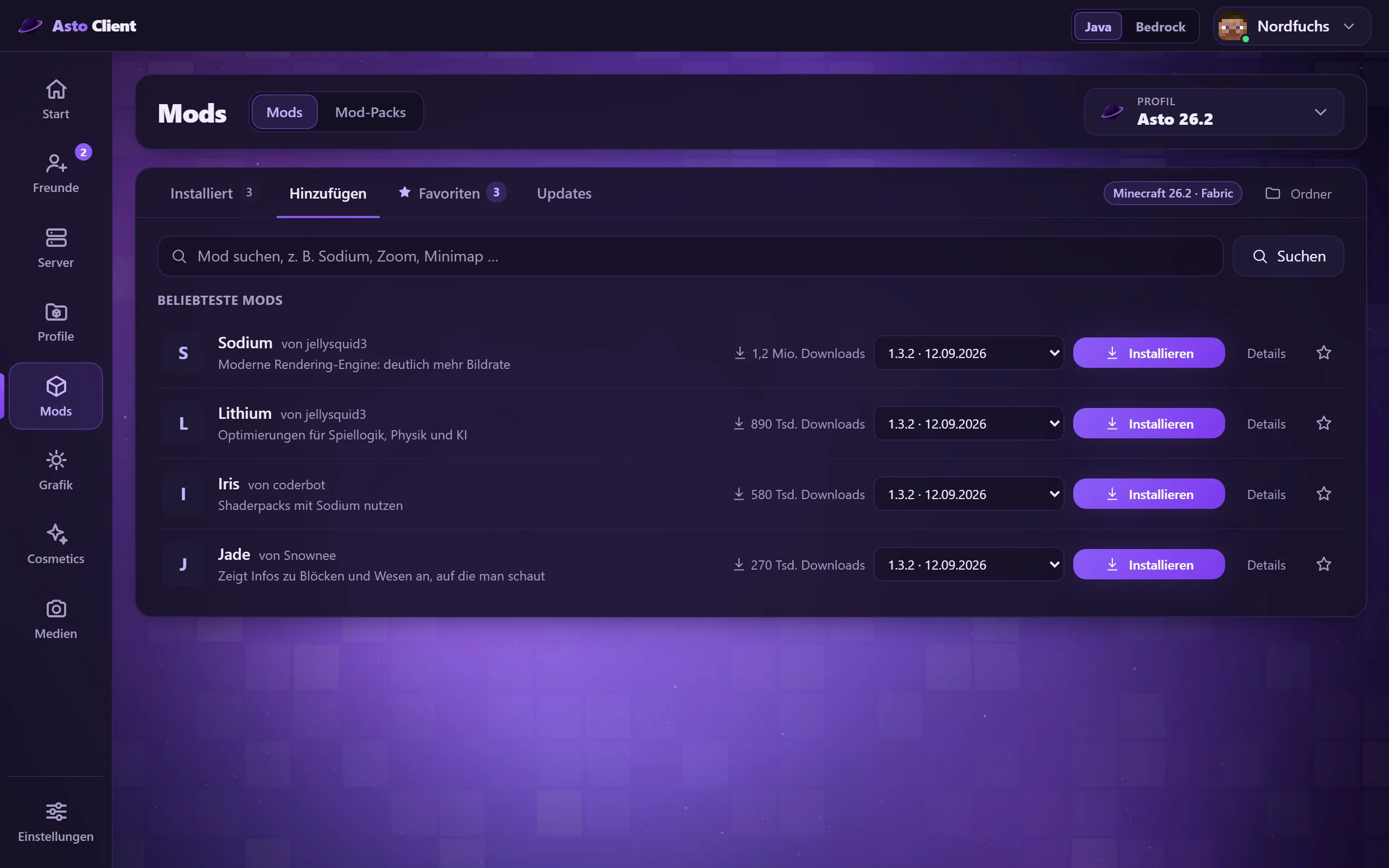
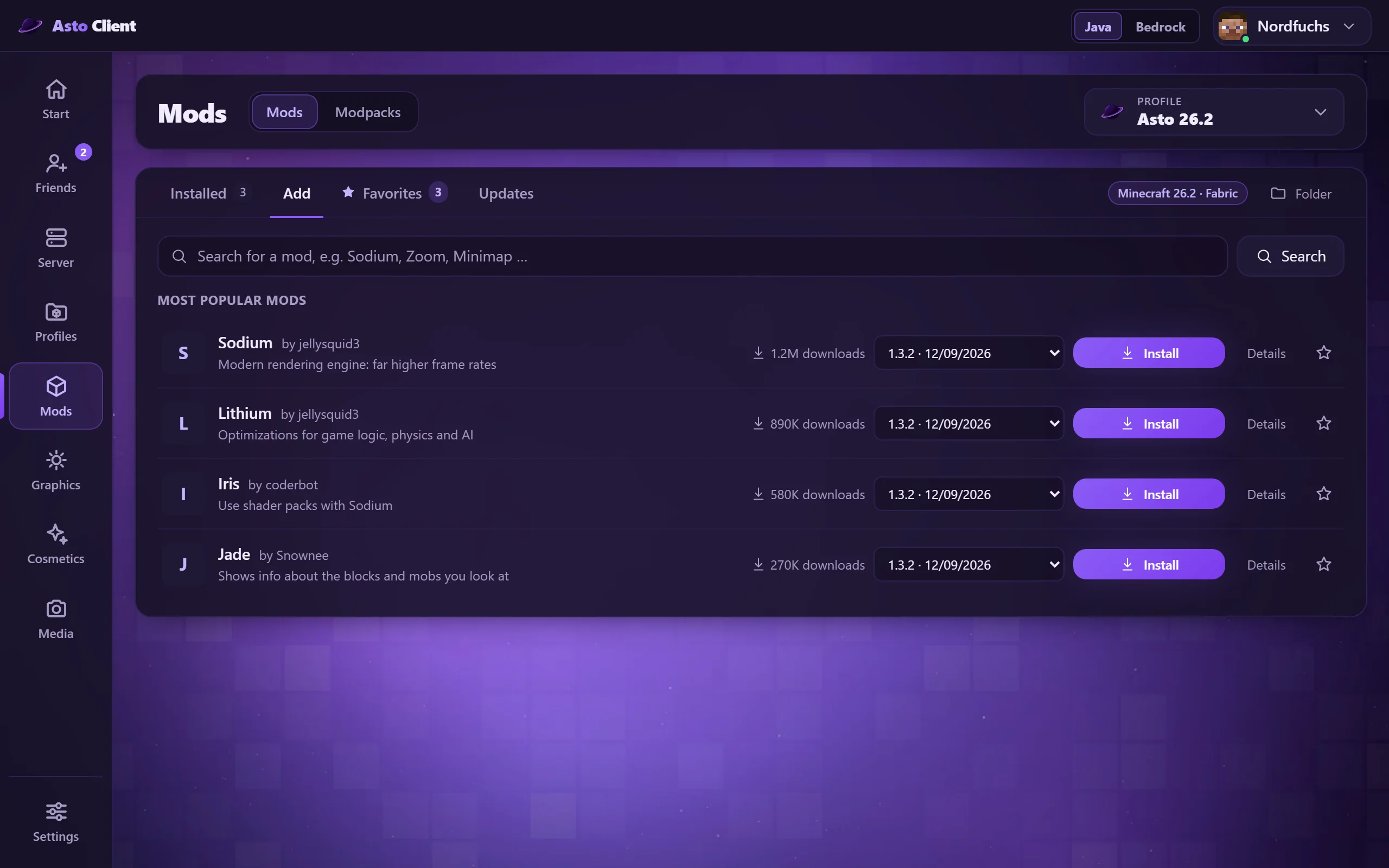
Mods, Shader und Ressourcenpakete suchen und mit einem Klick installieren. Asto kümmert sich um benötigte Zusatzmods und zeigt dir Updates. Shader und Ressourcenpakete lassen sich sogar laden, während Minecraft läuft.

Search mods, shaders and resource packs and install them with one click. Asto takes care of required extra mods and shows you updates. Shaders and resource packs can even be loaded while Minecraft is running.

Mods und Mod-Packs finden und installieren Find and install mods and mod packs

Freunde-FunktionenFriend features

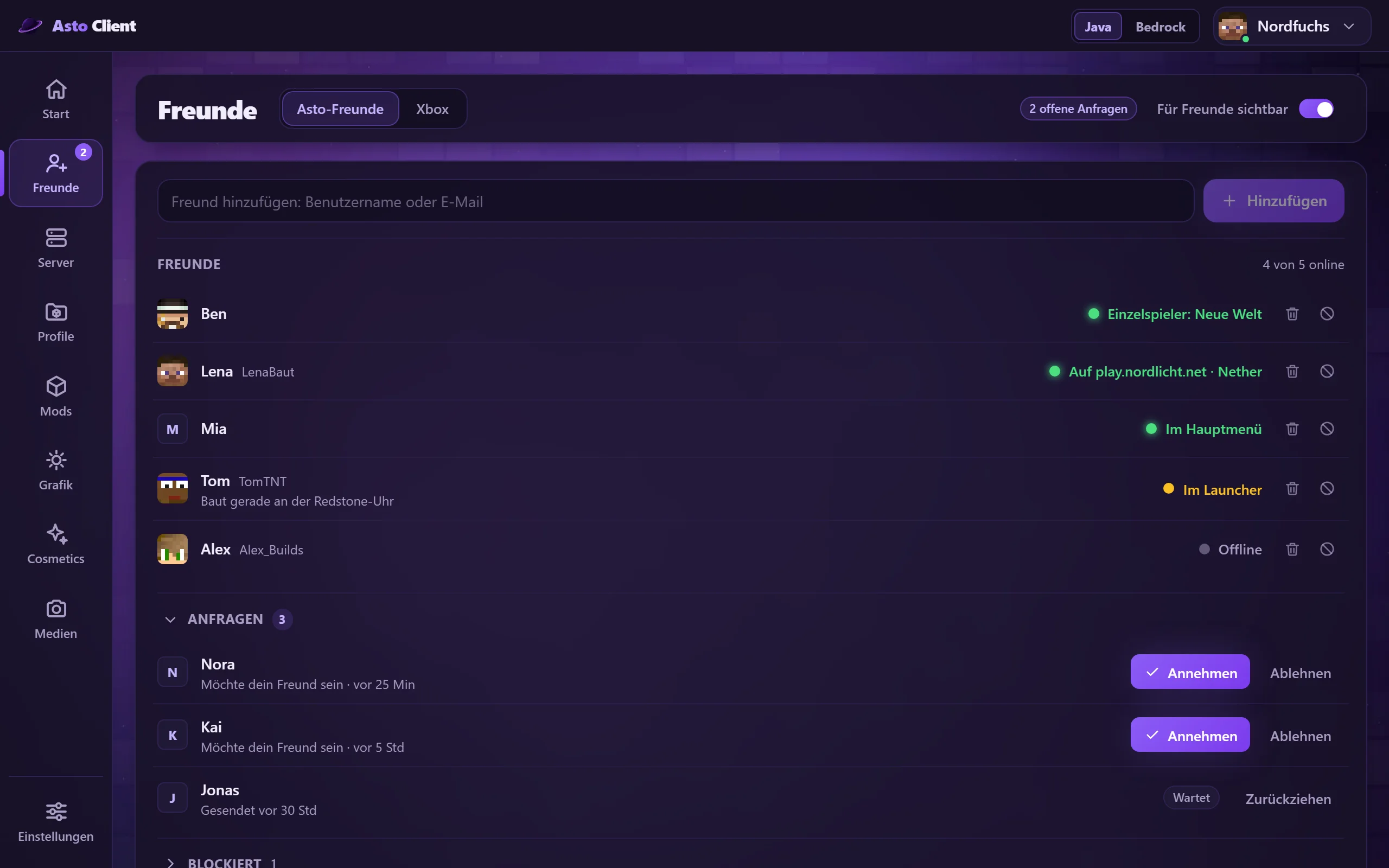
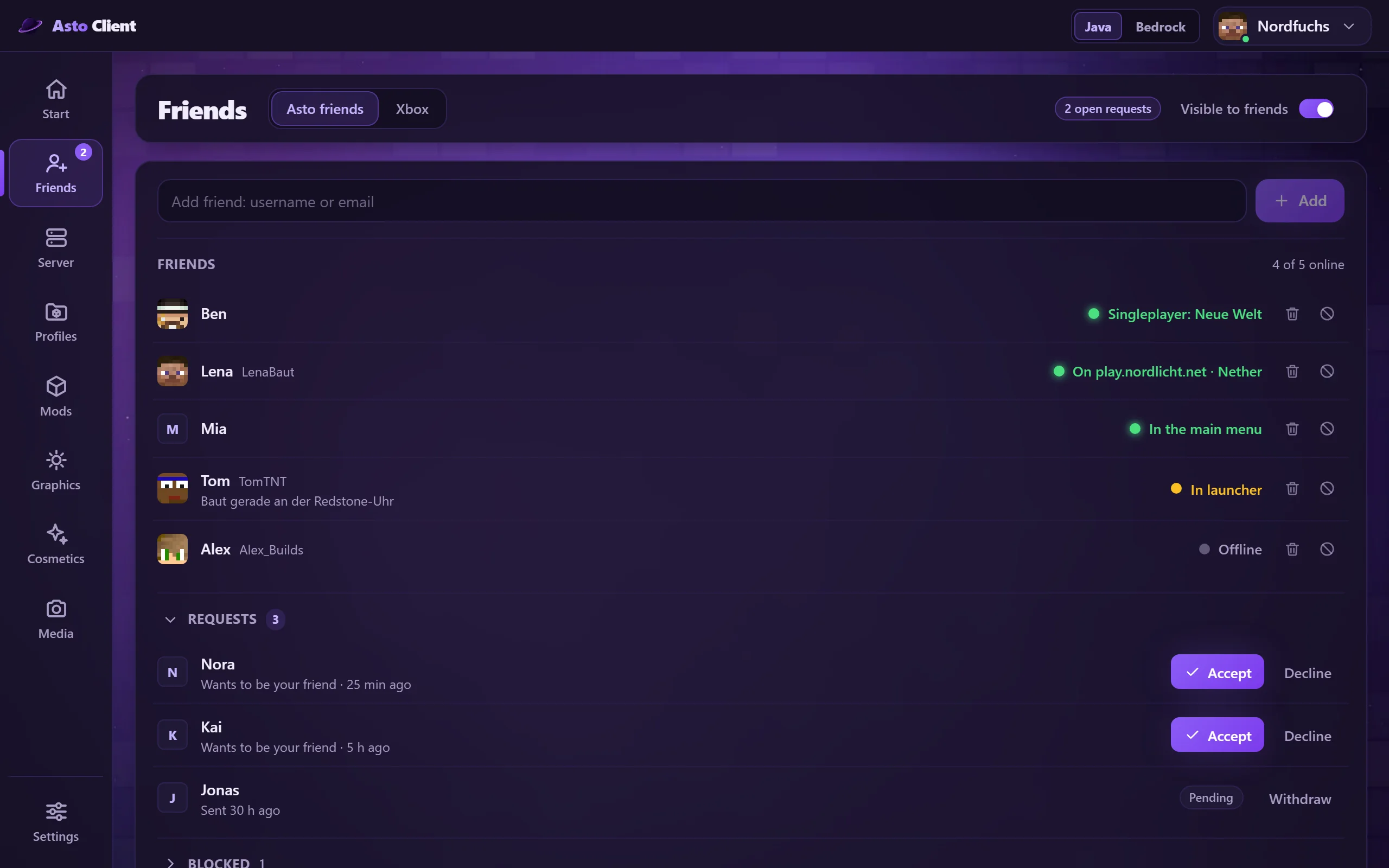
Sieh, wer online ist, was gespielt wird und auf welchem Server. Freundschaftsanfragen, Beitreten mit einem Klick und eine Profilkarte mit Spielzeit, Lieblingsservern und Skin. In deinem Konto bestimmst du, was deine Freunde sehen.

See who is online, what they are playing and on which server. Friend requests, joining with one click and a profile card with play time, favorite servers and skin. In your account you decide what your friends can see.

Freunde mit Status Friends with their status

CosmeticsCosmetics

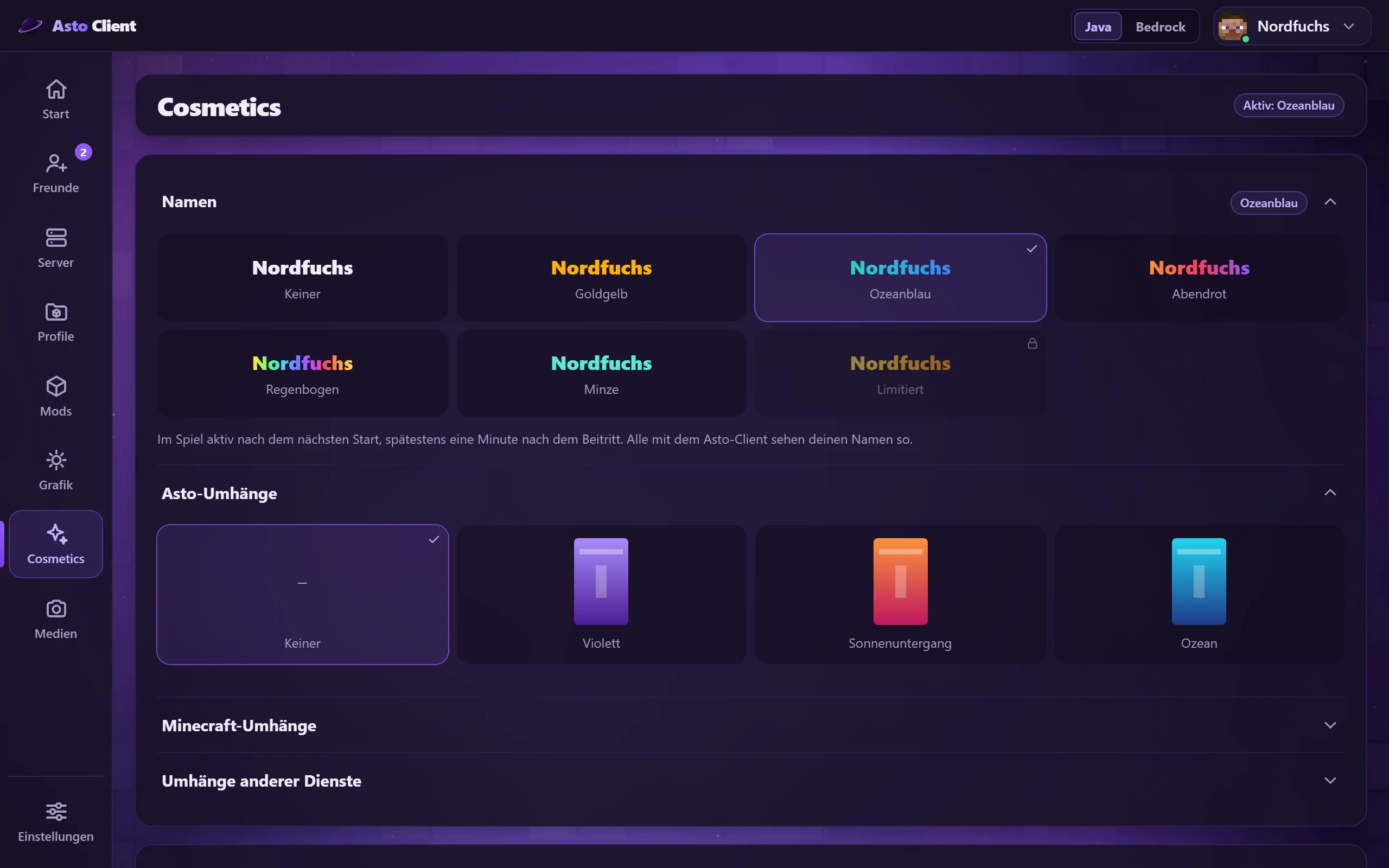
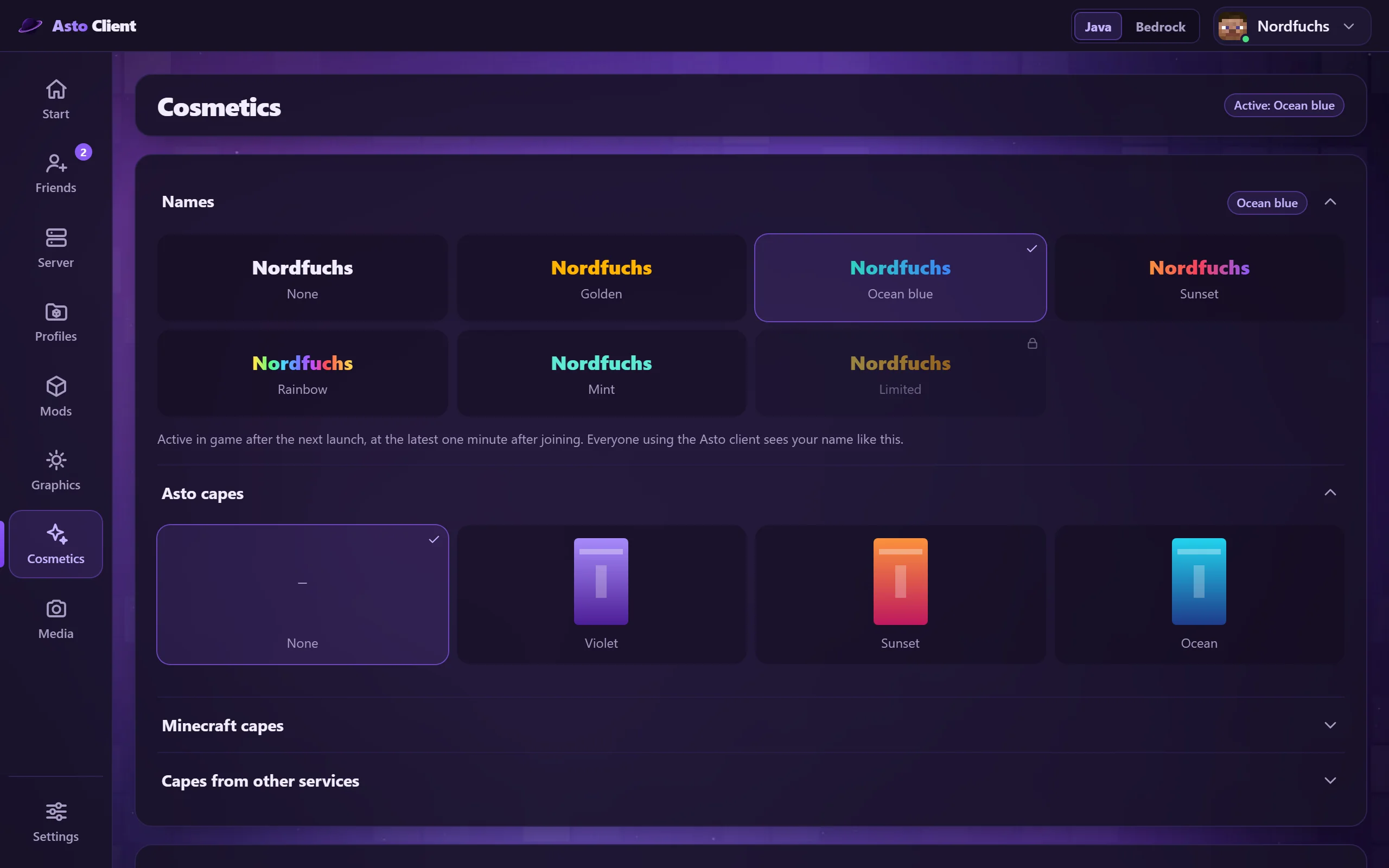
Farbige Namen, auch mit animierten Farbverläufen, dazu Umhänge und dein Skin an einem Ort. Andere Asto-Spieler sehen deine Auswahl im Spiel, in der Tab-Liste und über dem Kopf.

Colored names, including animated color gradients, plus capes and your skin in one place. Other Asto players see your choice in the game, in the tab list and above your head.

Cosmetics, Umhänge und Skins Cosmetics, capes and skins

Online-BackupOnline backup

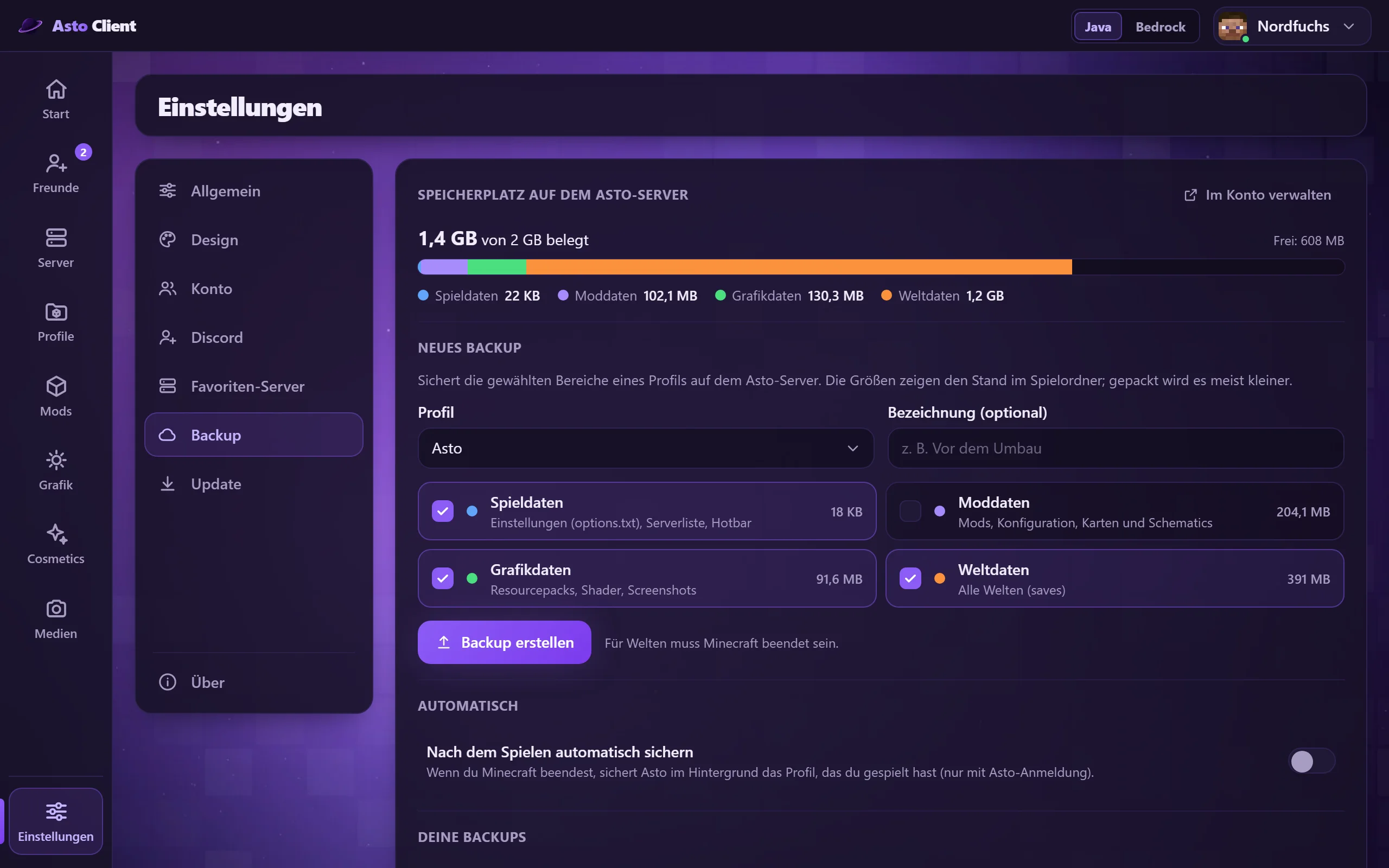
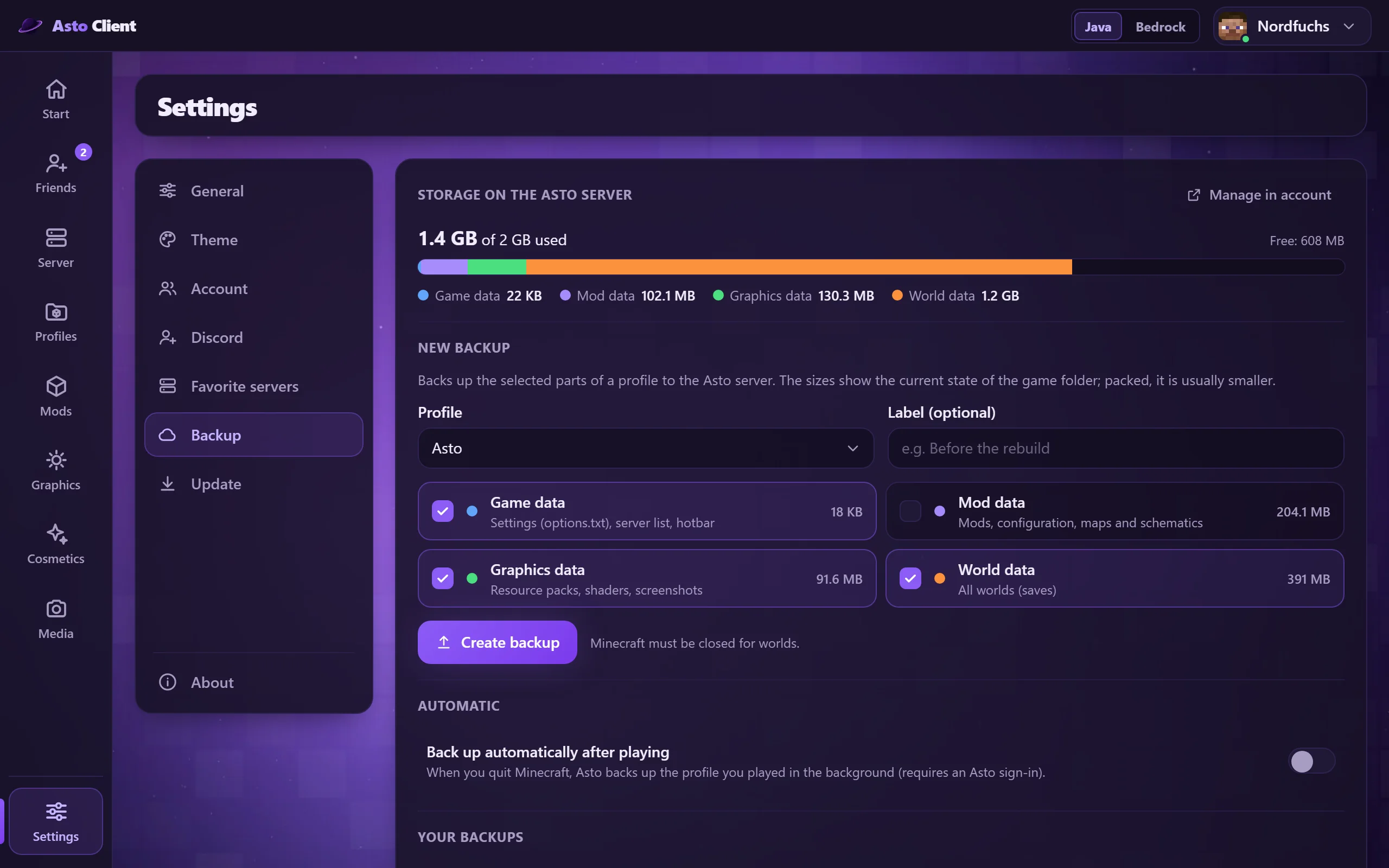
Sichere Einstellungen, Mods, Grafikdaten und Welten online und hole sie auf jedem PC zurück. Du wählst, welche Bereiche mitgesichert werden, und kannst es automatisch nach dem Spielen erledigen lassen.

Back up your settings, mods, graphics data and worlds online and restore them on any PC. You choose which parts are included and can have it done automatically after playing.

Online-Backup im Launcher Online backup in the launcher

Import aus anderen ClientsImport from other clients

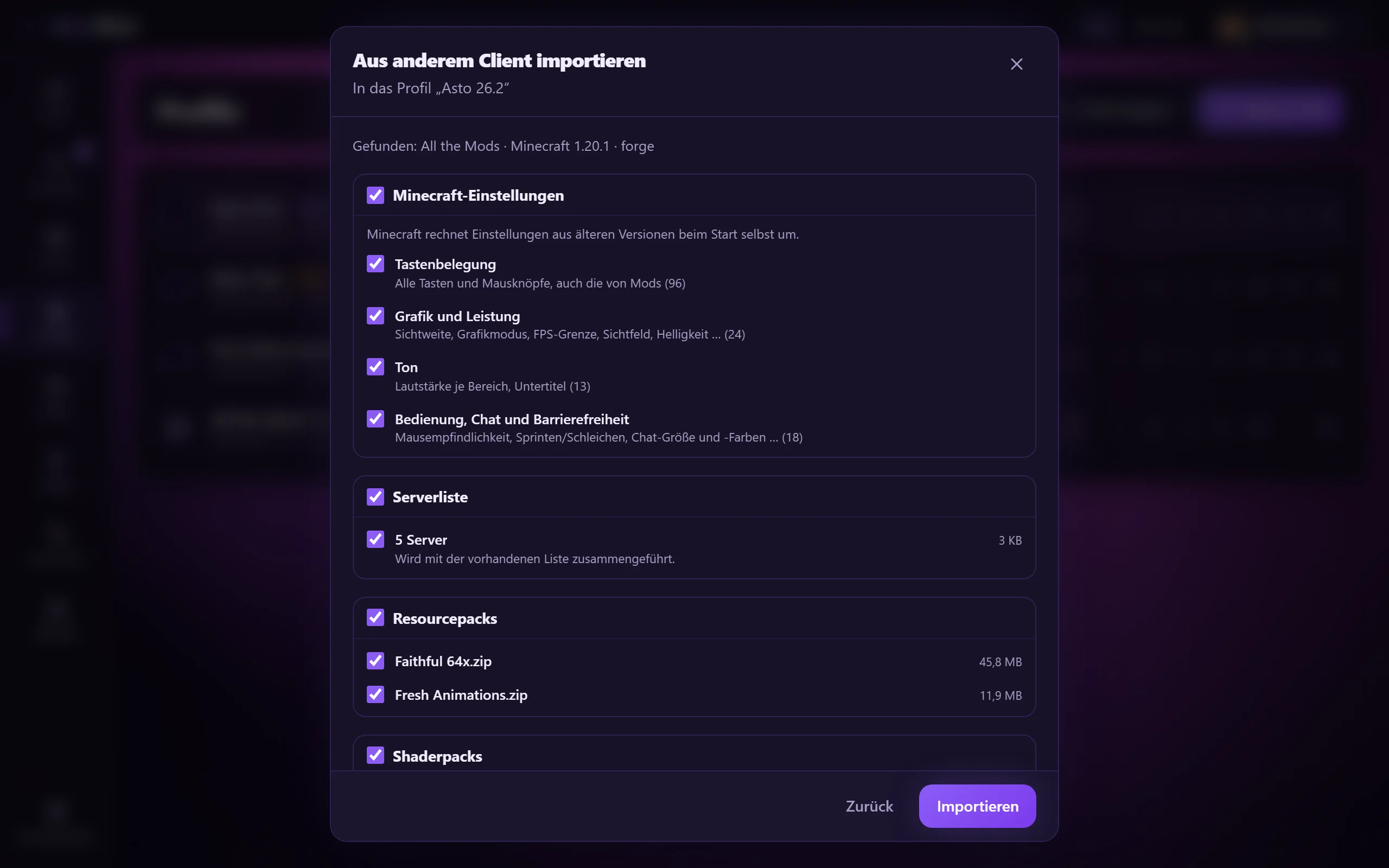
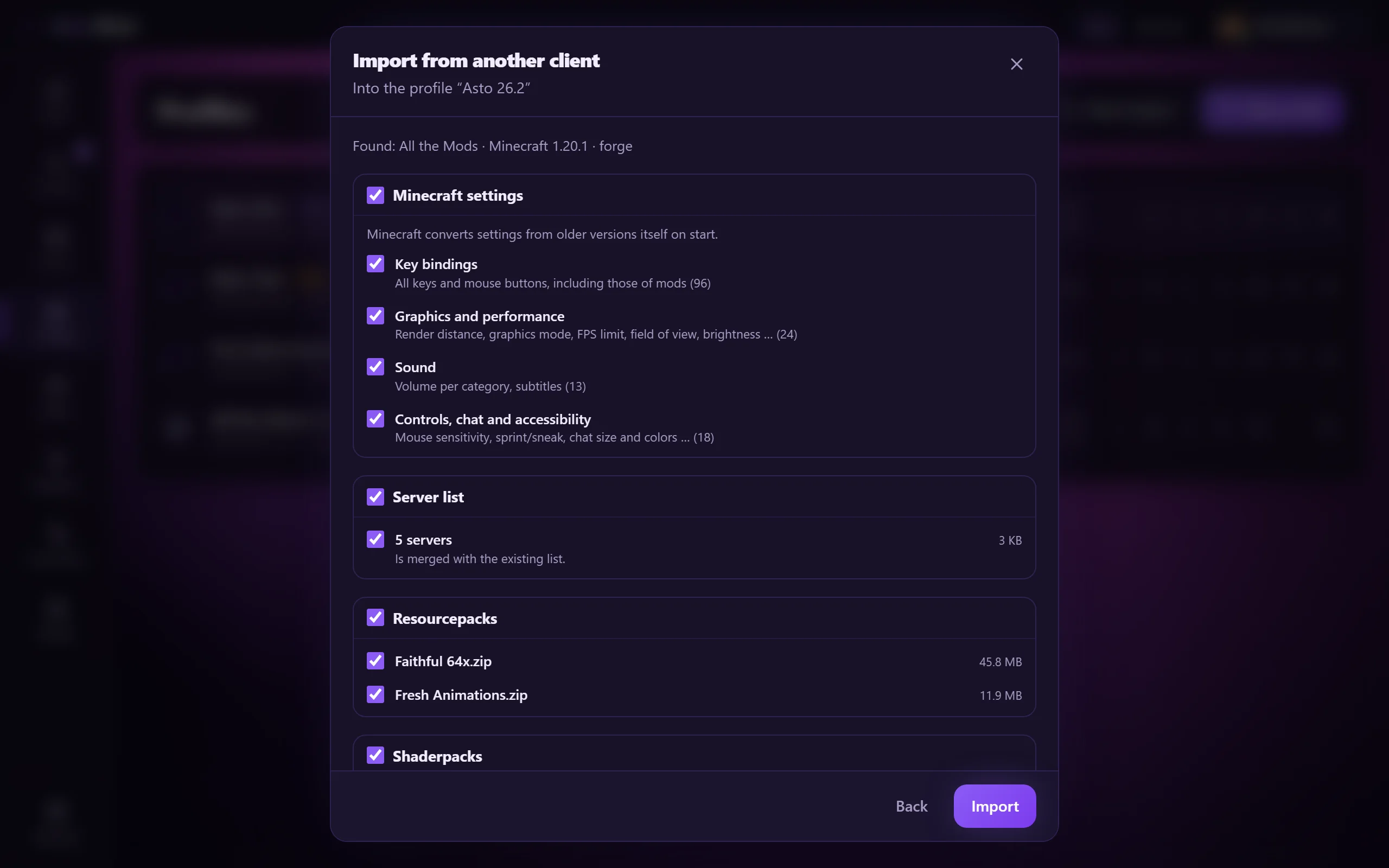
Wechsle von CurseForge, LabyMod, Badlion, NoRisk oder Lunar, ohne von vorn zu beginnen. Du wählst per Haken, was mitkommt: Einstellungen, Tastenbelegung, Resourcepacks, Serverliste, Shaderpacks, Screenshots, Mod-Einstellungen und auf Wunsch Welten. Passende Mods schlägt Asto aus Modrinth vor. Vorher entsteht ein Snapshot, und der alte Client bleibt unverändert.

Switch from CurseForge, LabyMod, Badlion, NoRisk or Lunar without starting over. You tick what comes along: settings, key bindings, resource packs, server list, shader packs, screenshots, mod settings and, if you like, worlds. Asto suggests matching mods from Modrinth. A snapshot is made first, and the old client stays untouched.
Client-Import: Einstellungen, Serverliste, Packs und Welten zum Übernehmen auswählen Client import: choose settings, server list, packs and worlds to carry over

Java und BedrockJava and Bedrock Bedrock nur unter WindowsBedrock on Windows only

Ein Launcher für beide Editionen, umschaltbar oben in der Kopfzeile.

One launcher for both editions, switchable in the header at the top.

Optimiertes Asto-PackOptimized Asto pack

Fertig abgestimmte Mods für Minecraft 26.2 mit Fabric: Leistung, Anzeigen, Karte, Sprachchat. Sofort startklar.

Ready-tuned mods for Minecraft 26.2 on Fabric: performance, overlays, map, voice chat. Ready to play right away.

Instant ModpacksInstant modpacks

Mod-Packs von Modrinth mit einem Klick als eigenes Profil, dazu Profil-Vorlagen.

Mod packs from Modrinth with one click as a profile of their own, plus profile templates.

Server-FinderServer finder

Server finden, Favoriten speichern und direkt beitreten, auch aus der Mehrspieler-Liste von Minecraft.

Find servers, save favorites and join right away, also from Minecraft's multiplayer list.

Auto-UpdatesAuto updates

Launcher und auf Wunsch auch Mods halten sich selbst aktuell, mit Rückgängig. Stabil oder Beta.

The launcher and, if you like, your mods keep themselves up to date, with undo. Stable or Beta.

Einstellungen und Profile übernehmenCarry over settings and profiles

Einstellungen, Grafik und Shader per Knopfdruck ins neue Profil mitnehmen, Profile per Code oder Datei teilen.

Carry settings, graphics and shaders over to a new profile at the press of a button, share profiles by code or file.

Profile und VersionenProfiles and versions

Beliebig viele Profile mit Vanilla, Fabric, Forge, NeoForge oder Quilt.

As many profiles as you like with Vanilla, Fabric, Forge, NeoForge or Quilt.

Hilfe bei AbstürzenCrash help

Häufige Ursachen erkennen und mit einem Klick beheben, mit Rücksprungpunkt. Ist deine Microsoft-Anmeldung abgelaufen, meldest du dich nach einem fehlgeschlagenen Start mit einem Klick neu an.

Recognize common causes and fix them with one click, with a restore point. If your Microsoft sign-in has expired, sign in again with one click after a failed launch.

Abgleich zwischen PCsSync between PCs

Einstellungen, Serverliste und Profile bleiben auf mehreren PCs gleich.

Settings, server list and profiles stay the same across several PCs.

Ein Konto, viele WegeOne account, many ways

Anmelden mit Passwort, Discord oder Microsoft, auf der Webseite auch mit Passkey.

Sign in with a password, Discord or Microsoft, on the website also with a passkey.

Discord-StatusDiscord status

Zeigt Freunden auf Discord, was du spielst und wo.

Shows your friends on Discord what you are playing and where.

Bedienung und BarrierefreiheitComfort and accessibility

Befehlspalette mit Strg+K, Benachrichtigungen, Schriftgröße, Kontrast, weniger Bewegung, Tray und Autostart.

Command palette with Ctrl+K, notifications, text size, contrast, reduced motion, tray and autostart.

Windows und LinuxWindows and Linux

Läuft unter Windows und Linux (AppImage oder .deb-Paket) und aktualisiert sich dort selbst.

Runs on Windows and Linux (AppImage or .deb package) and updates itself there.

Willkommens-AssistentWelcome guide

Beim ersten Start führt dich eine kurze Anleitung durch Microsoft-Konto, Asto-Konto und den Import aus deinem alten Client.

On first start, a short guide takes you through your Microsoft account, your Asto account and the import from your old client.

HintergründeBackgrounds

Wähle den Hintergrund des Launchers: Asto-Glut, Animation, Farbverlauf oder eine feste Farbe.

Choose the launcher background: Asto glow, animation, gradient or a solid color.

Asto ServerAsto Server baldsoon

Eigenen Minecraft-Server mieten und direkt im Launcher verwalten.

Rent your own Minecraft server and manage it right in the launcher.

Der Client im SpielThe client in the game

Asto bringt alles mit ins Spiel, was du beim Spielen brauchst: Anzeigen, Werkzeuge, Karte, Wegpunkte und ein eigenes Menü. Das Asto-Profil ist fertig eingerichtet, und alles lässt sich in den Asto-Einstellungen anpassen, die du mit der rechten Umschalttaste öffnest.Asto brings everything you need while playing into the game: overlays, tools, a map, waypoints and a menu of its own. The Asto profile comes ready to go, and you can adjust everything in the Asto settings, which you open with the right Shift key.

Anzeigen im SpielOverlays in the game

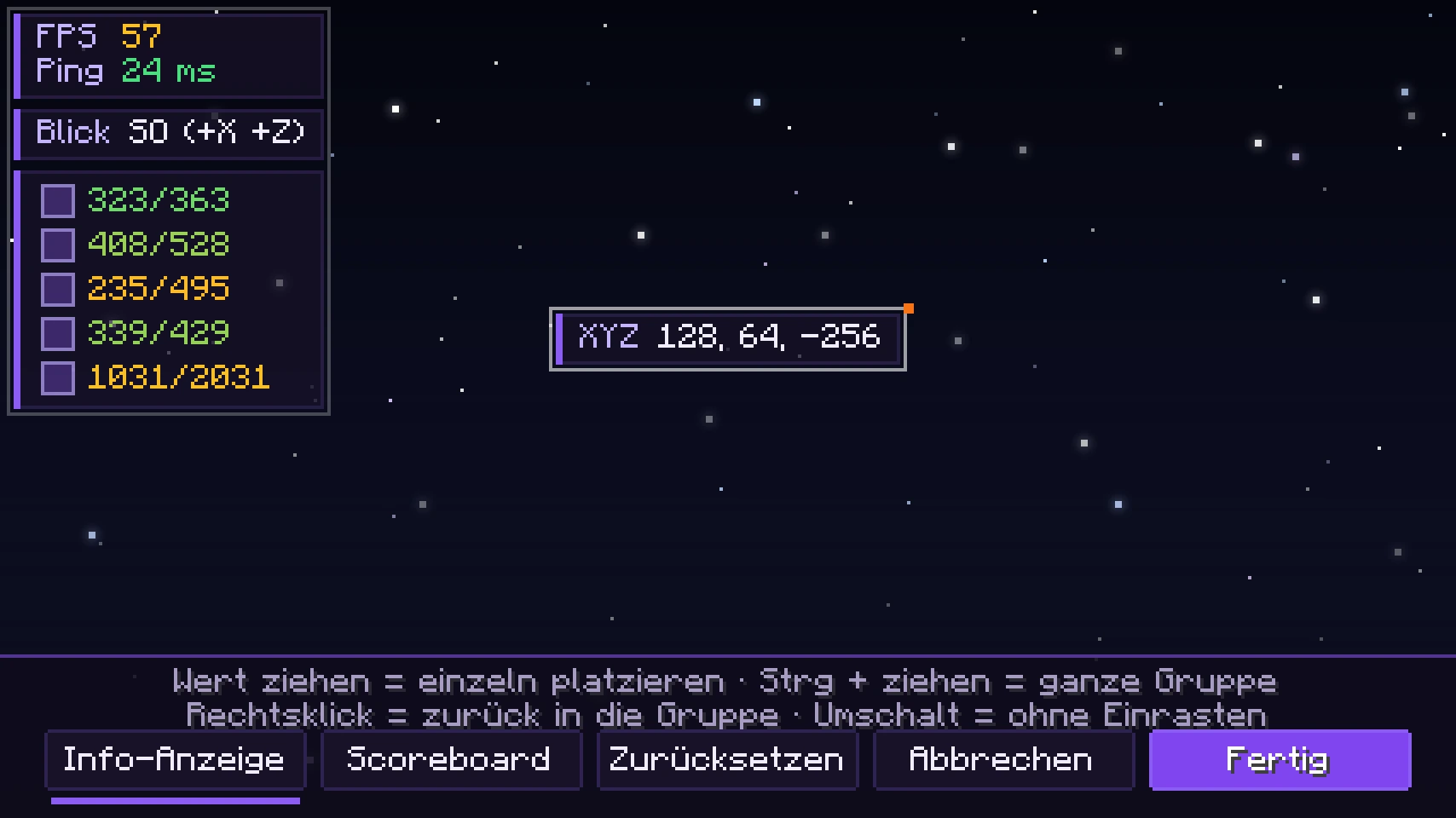
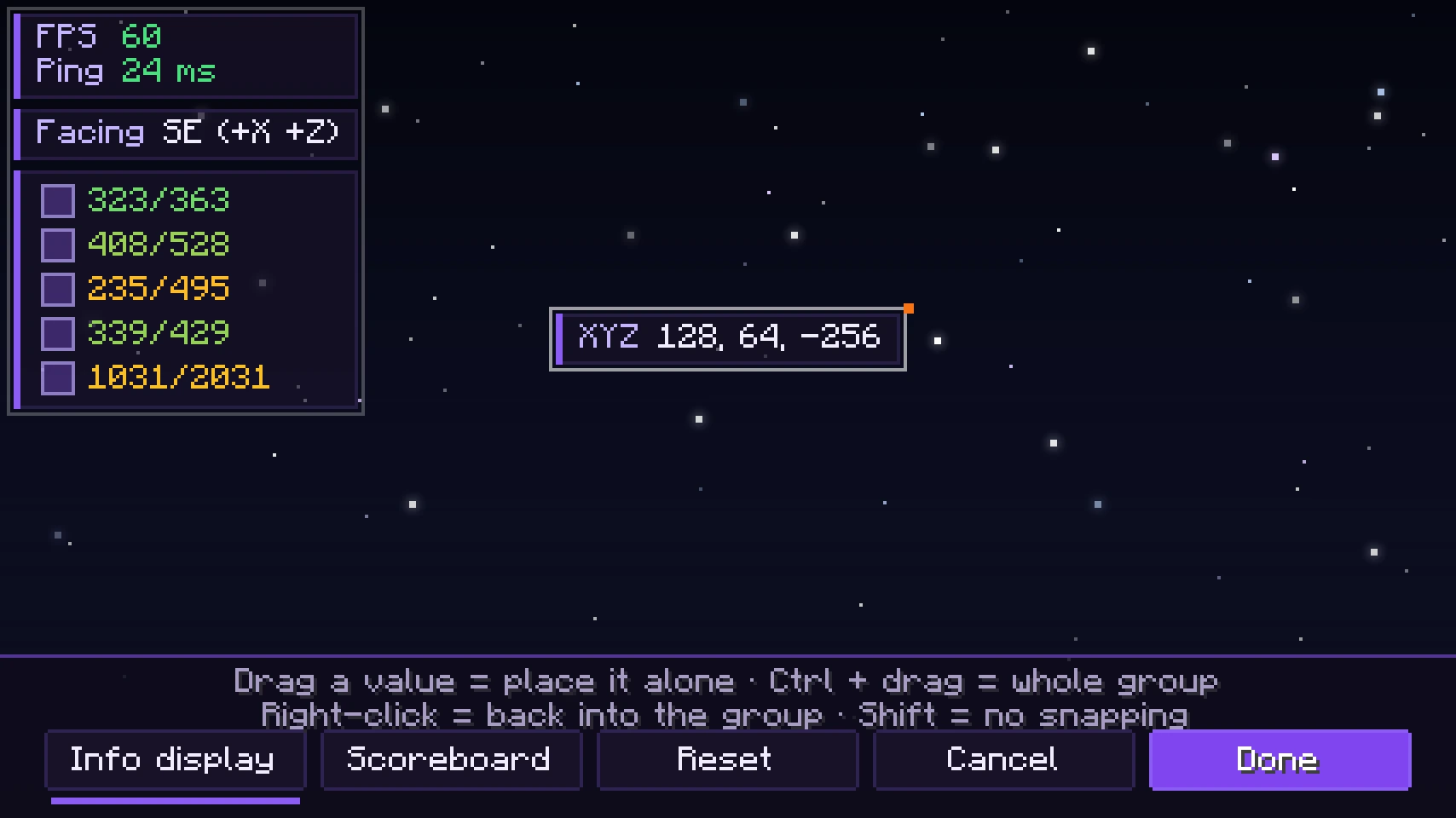
FPS, Ping, Koordinaten, Blickrichtung, Uhrzeit und vieles mehr. Du ziehst jeden Wert an seinen Platz, wählst Farben und kannst die Beschriftungen ausblenden, sodass nur die Werte stehen.

FPS, ping, coordinates, facing direction, time and much more. You drag every value to its spot, pick colors and can hide the labels so that only the values show.

Der Anordnen-Editor: Anzeigen im Spiel frei verschieben The layout editor: freely move the overlays in the game

Eigenes MenüCustom menu

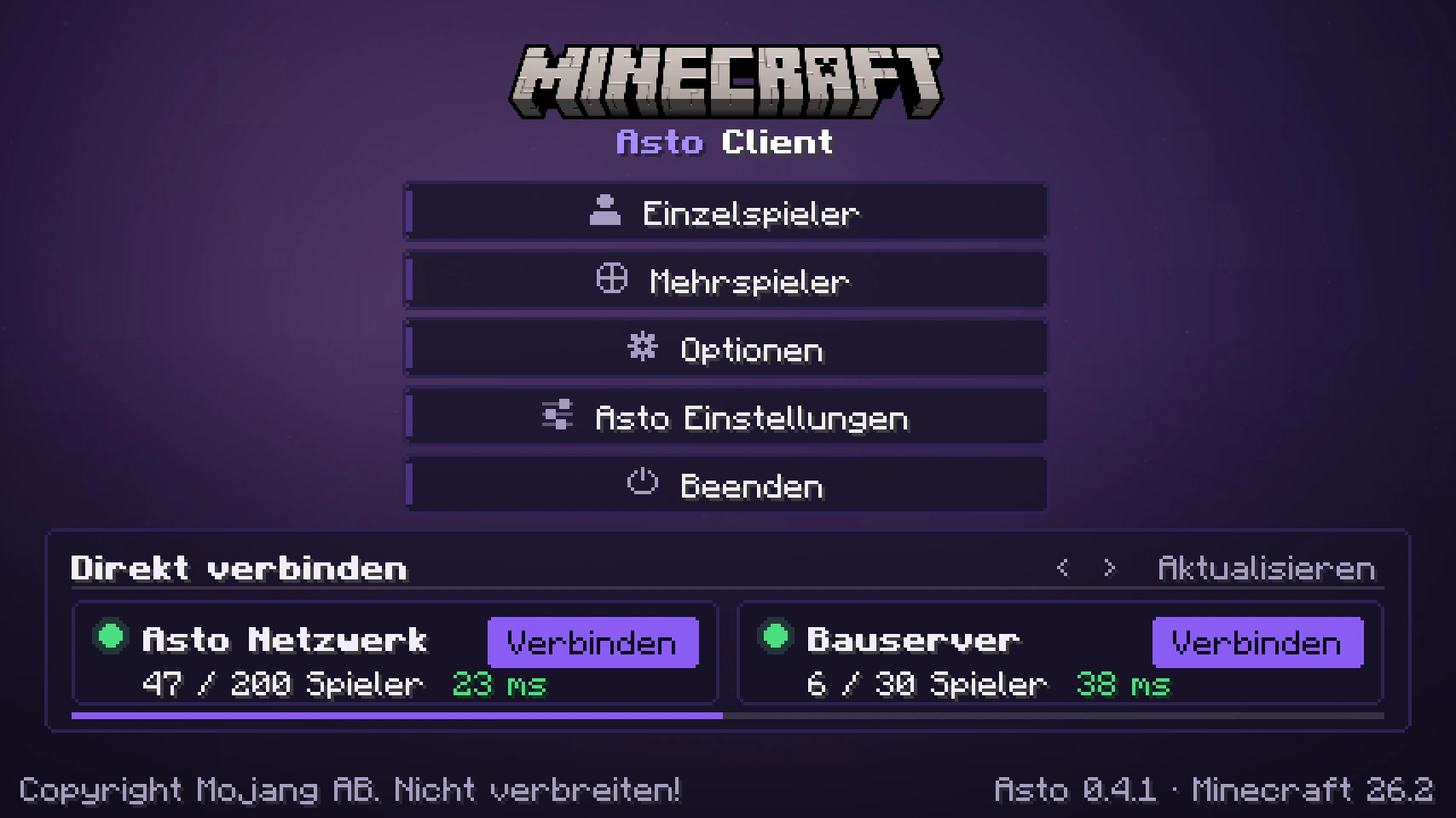
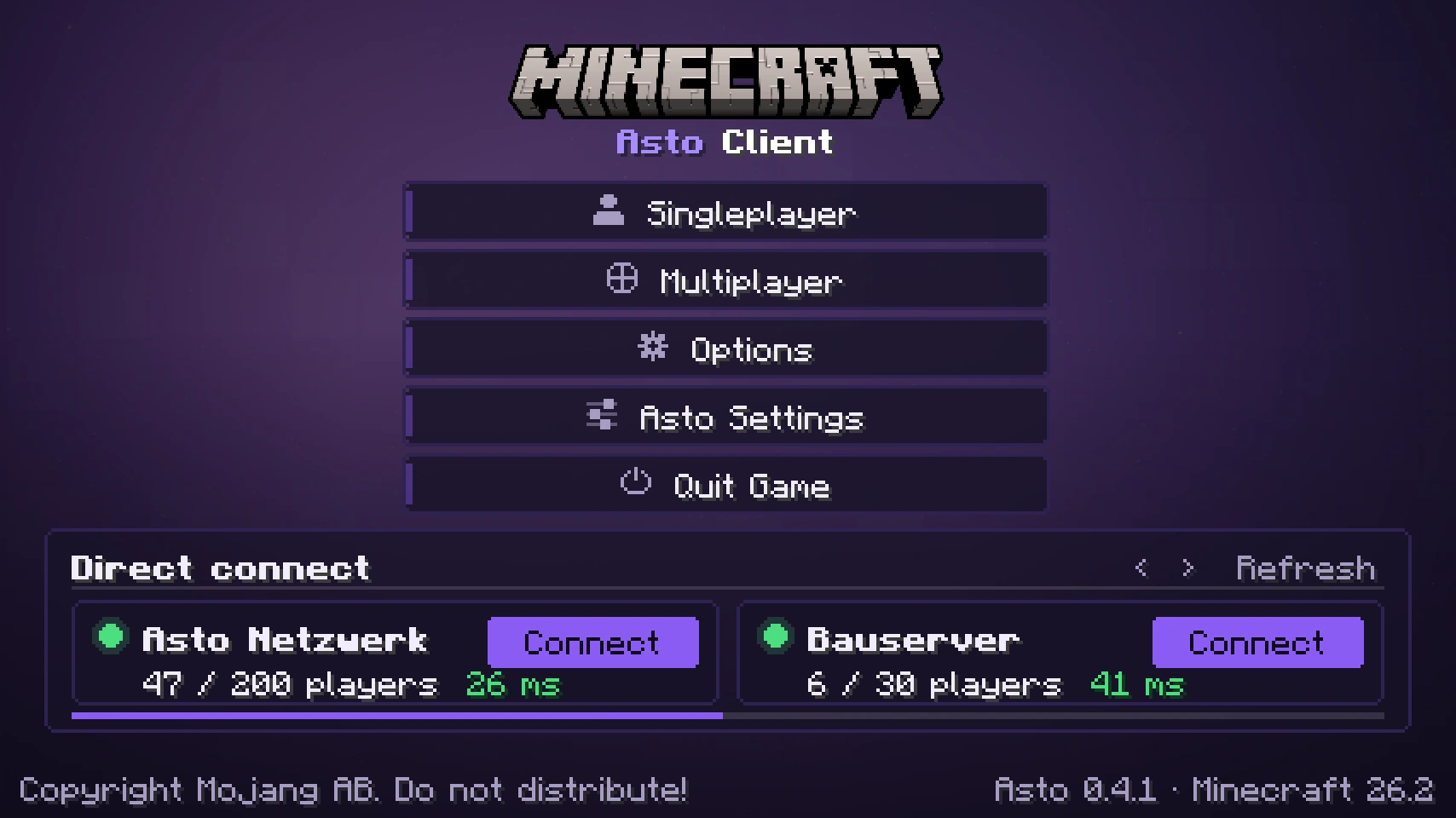
Der Asto-Titelbildschirm mit Direkt-Verbinden sowie Pause- und Mehrspieler-Menü im Asto-Look. Hintergründe, Farben, Transparenz und die Lage der Knöpfe stellst du selbst ein.

The Asto title screen with quick connect, plus pause and multiplayer menus in the Asto look. You set backgrounds, colors, transparency and the position of the buttons yourself.

Der Asto-Titelbildschirm im Spiel The Asto title screen in the game

Asto ReplayAsto Replay

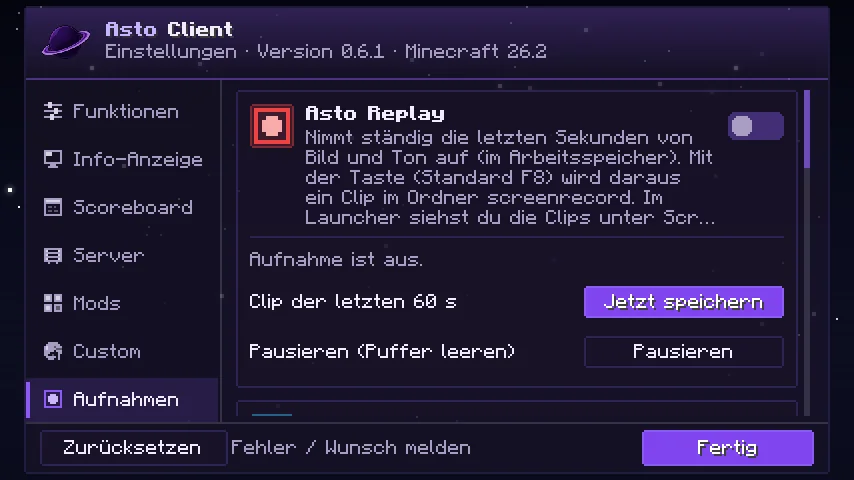
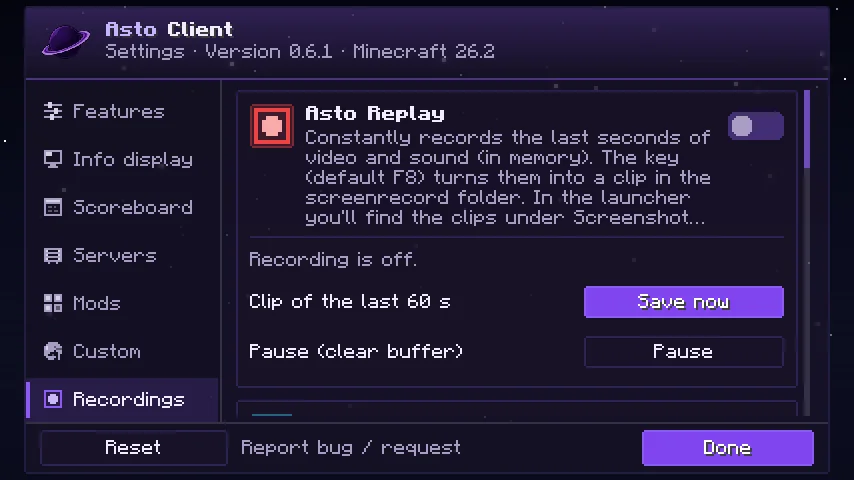
Asto nimmt im Hintergrund die letzten Sekunden deines Spiels auf, mit Ton. Ein Tastendruck, und der Clip ist gespeichert; im Launcher siehst du ihn dir direkt an. Nur unter Windows.

Asto records the last seconds of your game in the background, with sound. Press one key and the clip is saved; in the launcher you watch it right away. Windows only.

Asto Replay in den Asto-Einstellungen Asto Replay in the Asto settings

Custom ScoreboardCustom scoreboard

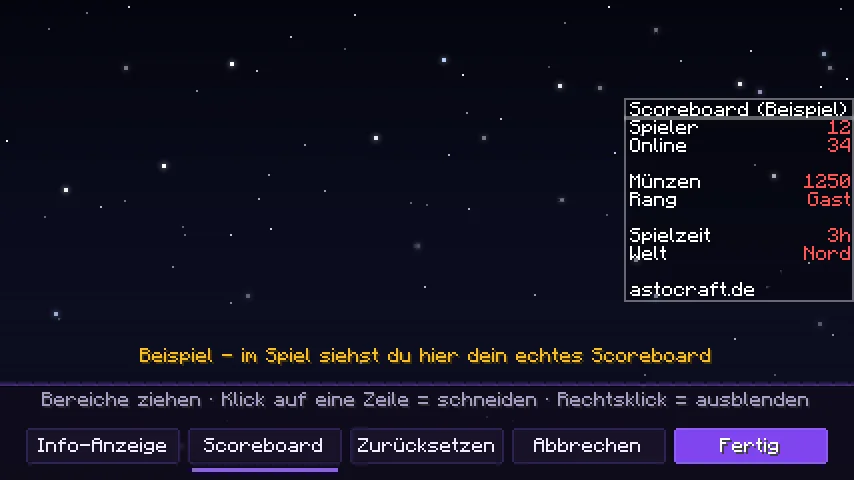
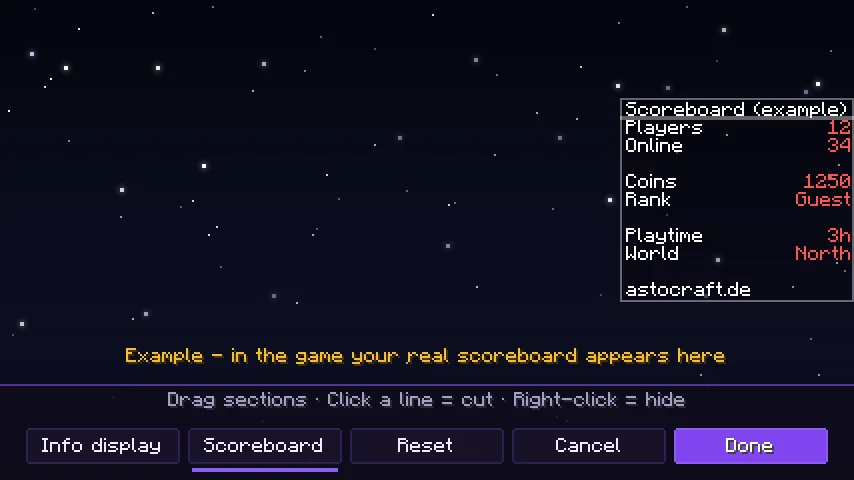
Das Scoreboard des Servers in Bereiche schneiden, frei verschieben oder ausblenden. Im Editor ziehst du alles an seinen Platz; es ändert sich nur die Darstellung.

Cut the server's scoreboard into sections, move it freely or hide it. In the editor you drag everything to its place; only the display changes.

Der Scoreboard-Editor im Spiel The scoreboard editor in the game

Freunde im SpielFriends in the game

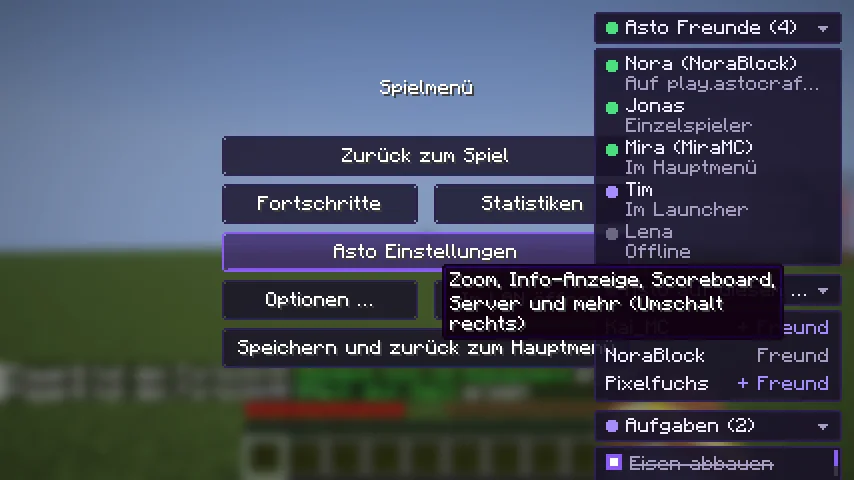
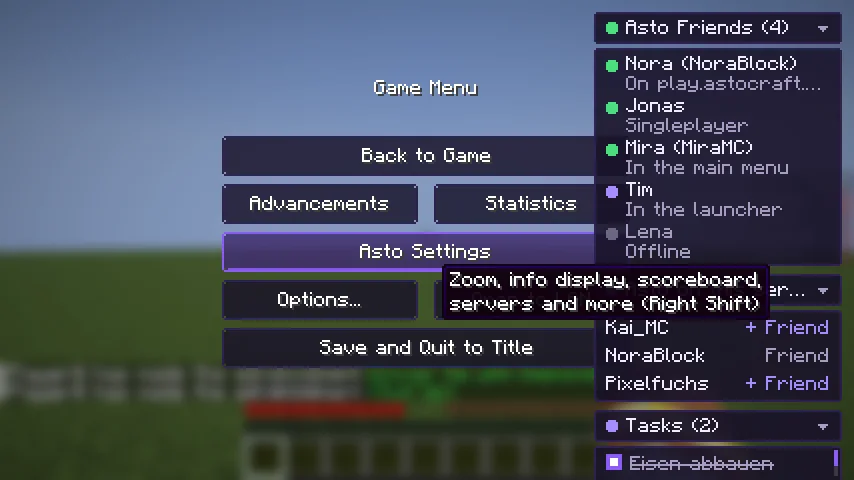
Im Pause-Menü klappt die Liste deiner Asto-Freunde auf, dazu „Asto auf diesem Server“ mit Freundschaftsanfrage per Klick und deine Aufgabenliste. Das kleine Asto-Logo hinter dem Namen zeigt, wer ebenfalls Asto nutzt.

In the pause menu the list of your Asto friends unfolds, plus “Asto on this server” with a friend request in one click and your task list. The small Asto logo behind a name shows who also uses Asto.

Pause-Menü mit Asto-Freunden, Spielern auf dem Server und Aufgabenliste Pause menu with Asto friends, players on the server and task list

ZoomZoom

Zoom-Taste halten, das Mausrad ändert die Vergrößerung.

Hold the zoom key and the mouse wheel changes the magnification.

FullbrightFullbright

Alles hell, auch in Höhlen und bei Nacht. Per Taste umschalten.

Everything bright, even in caves and at night. Toggle it with a key.

Erweiterte SichtweiteExtended view distance

Ferne Landschaft weit über die normale Sichtweite hinaus.

Distant landscape far beyond the normal view distance.

Rüstung und Werkzeug anzeigenShow armor and tools

Rüstung und Gegenstand in der Hand mit Haltbarkeit, als Zahl oder Prozent.

Armor and the item in your hand with their durability, as a number or percent.

Shulker-, Werkzeug- und Block-InfosShulker, tool and block info

Inhalt von Shulkerkisten im Tooltip, Haltbarkeit von Werkzeugen und Infos zu Blöcken und Mobs, wenn du sie anvisierst.

Shulker box contents in the tooltip, tool durability and info about blocks and mobs when you aim at them.

Chat-KöpfeChat heads

Der Kopf des Spielers neben jeder Chat-Nachricht.

The player's head next to every chat message.

Erweiterter ChatExtended chat

Ein langer Chat-Verlauf (bis zu 5000 Nachrichten), damit nichts verloren geht.

A long chat history (up to 5000 messages) so that nothing gets lost.

Performance und OptimierungPerformance and optimization

Das Asto-Profil bringt Sodium, Lithium und weitere Optimierungen mit und holt mehr FPS aus deinem PC. Shader sind möglich.

The Asto profile brings Sodium, Lithium and further optimizations and gets more FPS out of your PC. Shaders are possible.

WegpunkteWaypoints

Orte merken und mit Name und Entfernung im Spiel sehen, ohne Teleport.

Remember places and see them in the game with name and distance, no teleporting.

KarteMap

Große Karte und auf Wunsch eine Minimap.

A big map and, if you like, a minimap.

AufgabenlisteTask list

Eigene To-do-Liste im Pause-Menü: schreiben, abhaken, ändern, löschen.

Your own to-do list in the pause menu: write, tick off, edit, delete.

SprachchatVoice chat

Sprachchat mit Spielern in deiner Nähe, auf Servern, die ihn anbieten.

Voice chat with players near you, on servers that offer it.

Inventar-KomfortInventory comfort

Schneller verschieben und sortieren, Tastenbelegungen leicht finden.

Move and sort faster, find key bindings easily.

Cosmetics im SpielCosmetics in the game

Farbige, animierte Namen und Umhänge in der Tab-Liste und über den Köpfen anderer Asto-Spieler. Ein kleines Asto-Logo hinter dem Namen zeigt, wer Asto nutzt, auch im Chat.

Colored, animated names and capes in the tab list and above the heads of other Asto players. A small Asto logo behind the name shows who uses Asto, in chat too.

Umhänge anderer DiensteCapes from other services

Sieh bei allen Spielern auch die Umhänge von OptiFine, LabyMod und MinecraftCapes. Jede Quelle schaltest du einzeln ein.

See the capes from OptiFine, LabyMod and MinecraftCapes on all players. You switch each source on separately.

Server-AbgleichServer sync

Favoriten aus dem Launcher erscheinen in der Mehrspieler-Liste.

Favorites from the launcher show up in the multiplayer list.

Fehler und Wünsche meldenReport bugs and requests

Ein Knopf in den Asto-Einstellungen führt direkt zur Meldeseite.

A button in the Asto settings takes you straight to the report page.

Bereit? Hol dir Asto.Ready? Get Asto.

HerunterladenDownload