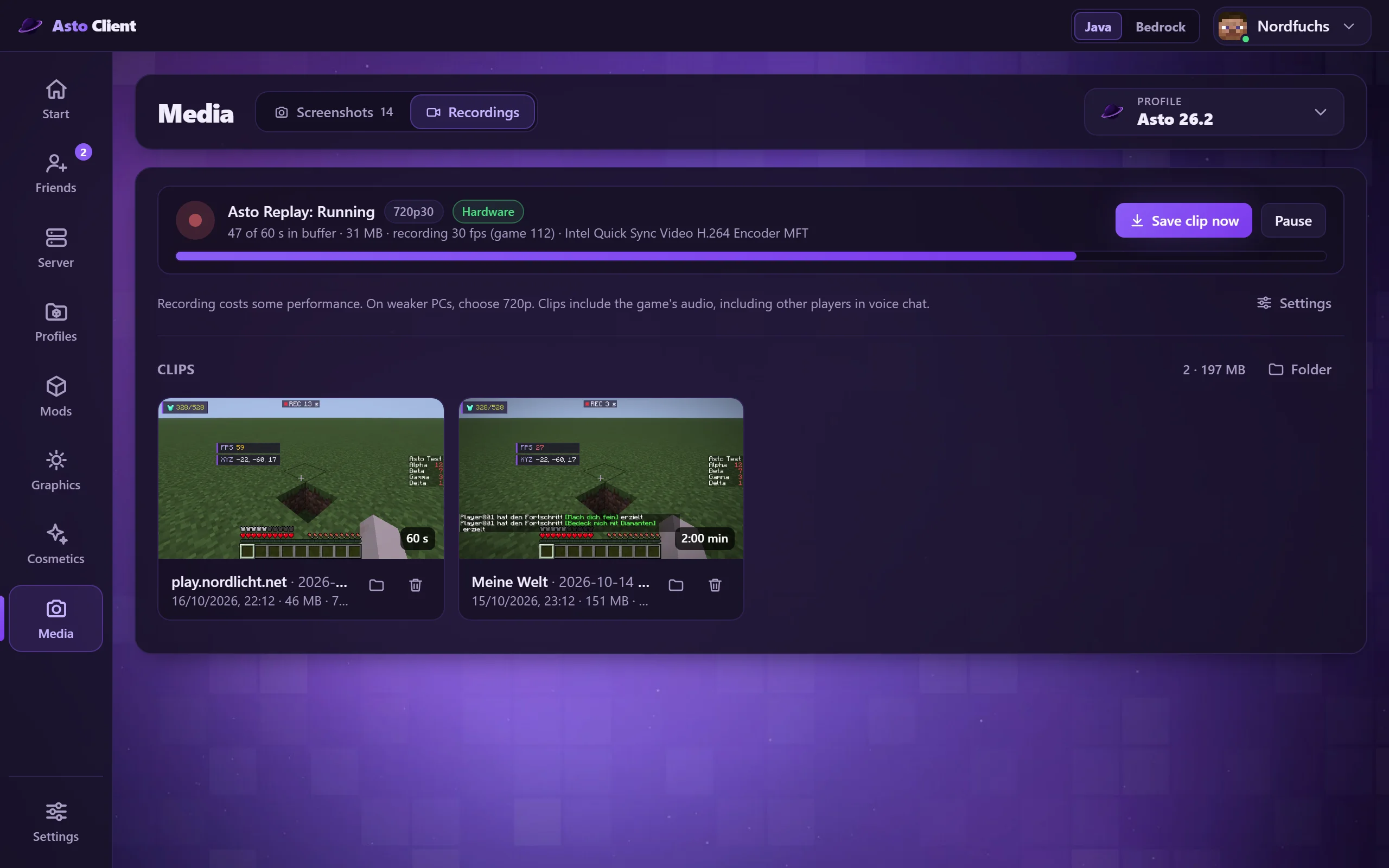
Edit screenshots and recordings
All your pictures and clips in one place. Sort by date, add your own pictures, trim clips, save them as a GIF or share them with a link.
Everything Asto can do: the launcher on your PC and the client in the game.
The Asto launcher starts Minecraft, manages your profiles and brings along everything you need around it.
All your pictures and clips in one place. Sort by date, add your own pictures, trim clips, save them as a GIF or share them with a link.
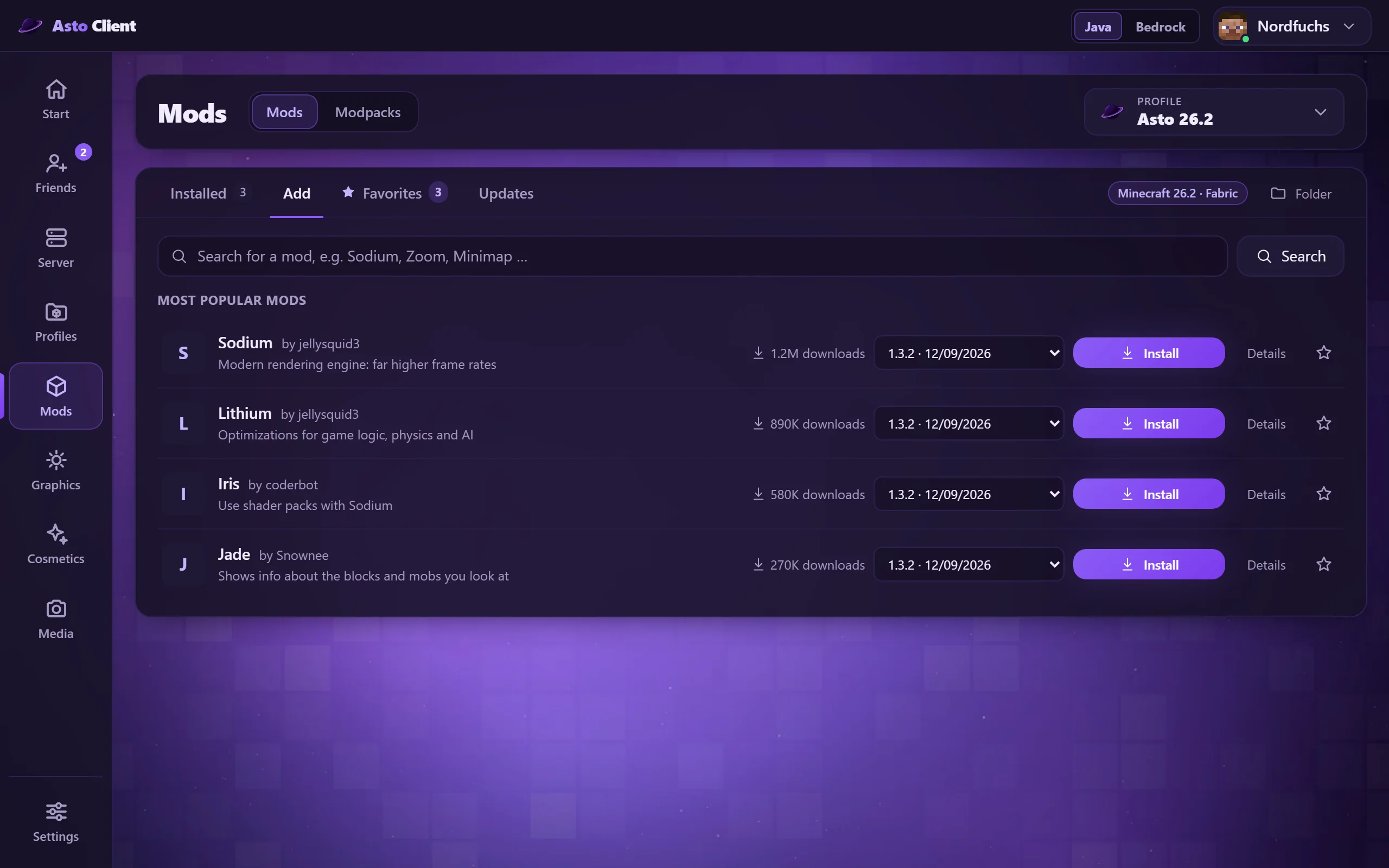
Search mods, shaders and resource packs and install them with one click. Asto takes care of required extra mods and shows you updates. Shaders and resource packs can even be loaded while Minecraft is running.
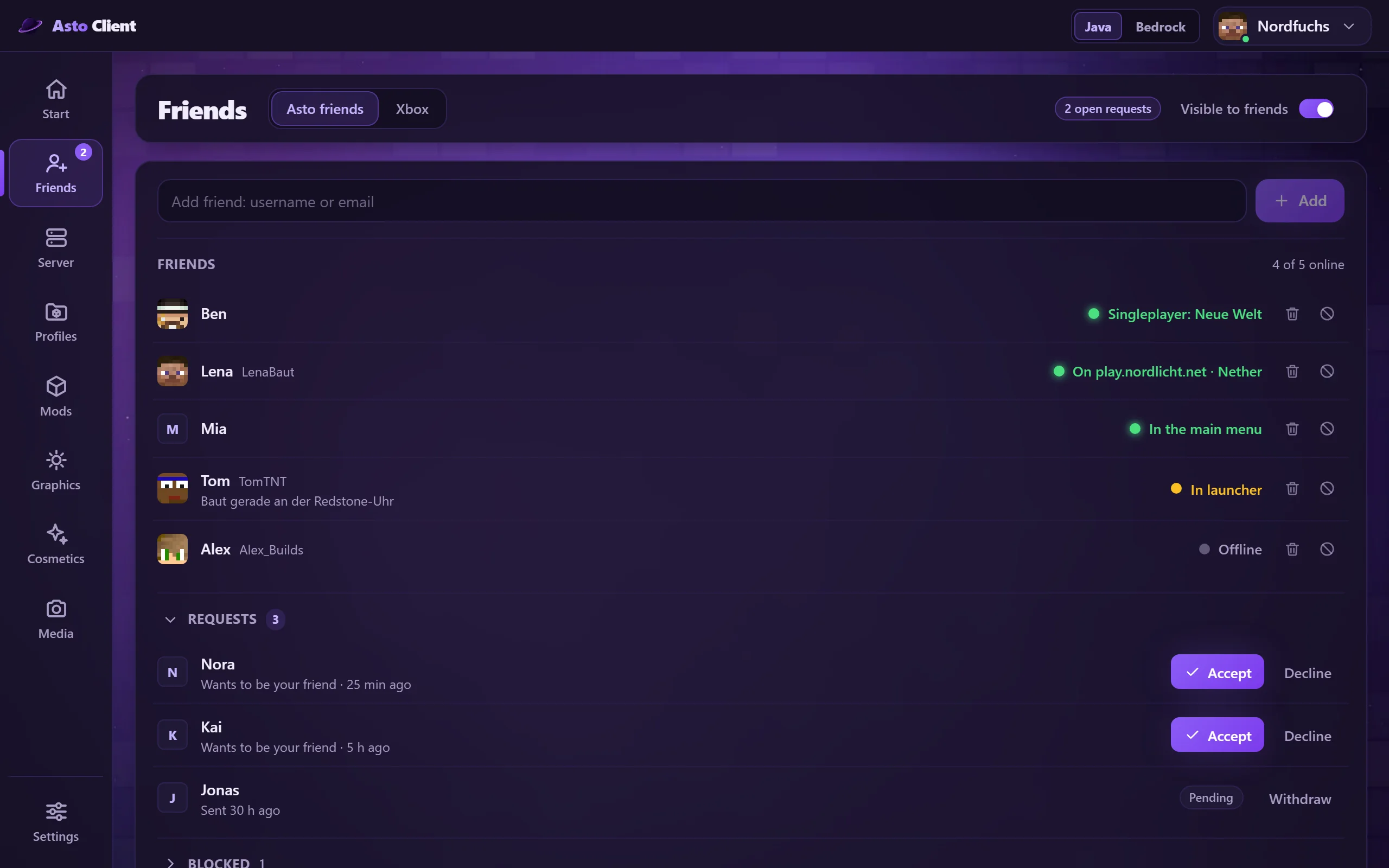
See who is online, what they are playing and on which server. Friend requests, joining with one click and a profile card with play time, favorite servers, skin, cape and name style plus the special cosmetics you both have. Offline friends show when they were last online. In your account you decide what your friends can see.
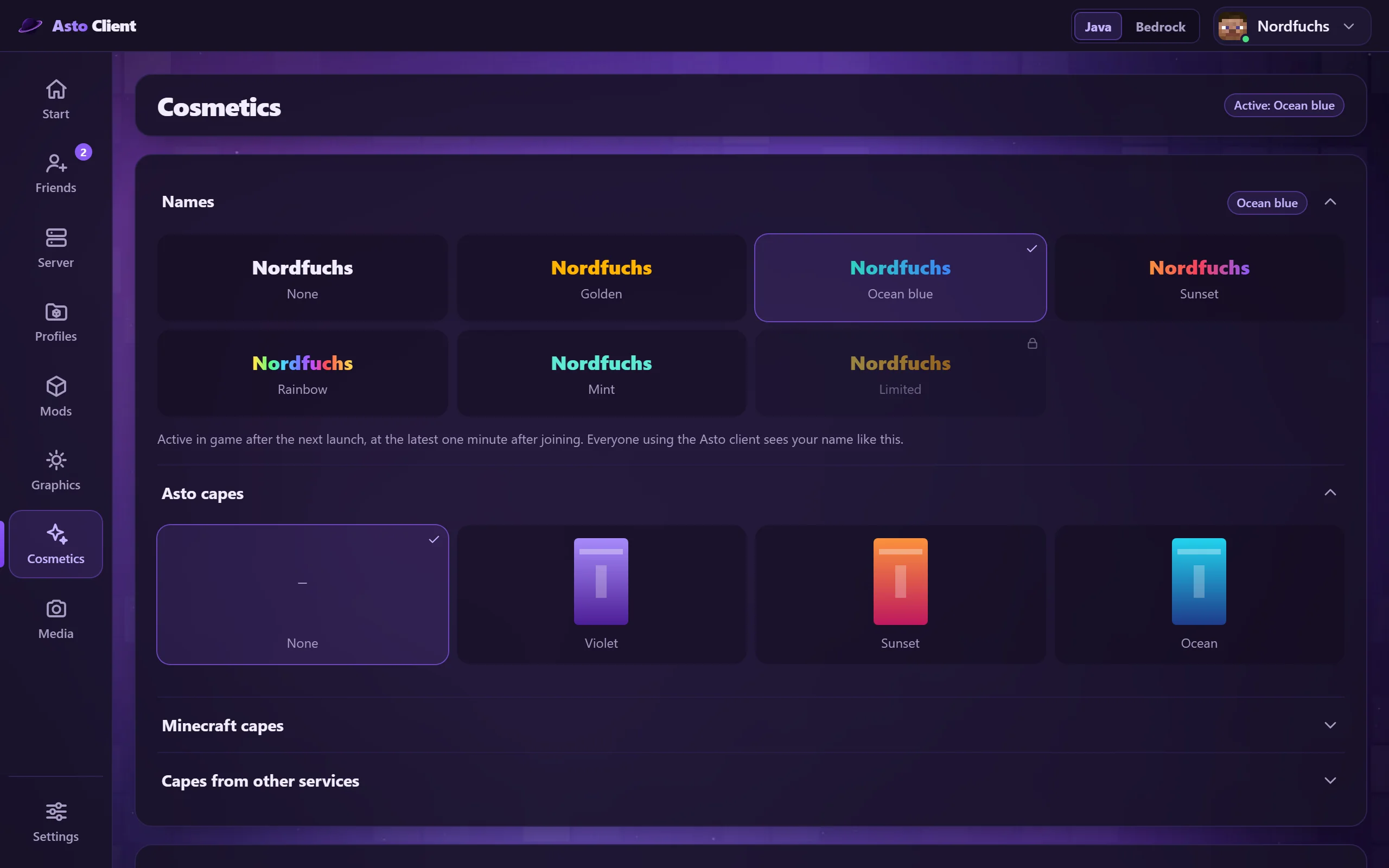
Colored names, including animated color gradients, plus capes (animated ones too), badges behind your name and your skin in one place. A promo code unlocks special cosmetics; they belong to your Asto account. Other Asto players see your choice in the game, in the tab list and above your head, and you switch it live in the launcher or in the game.
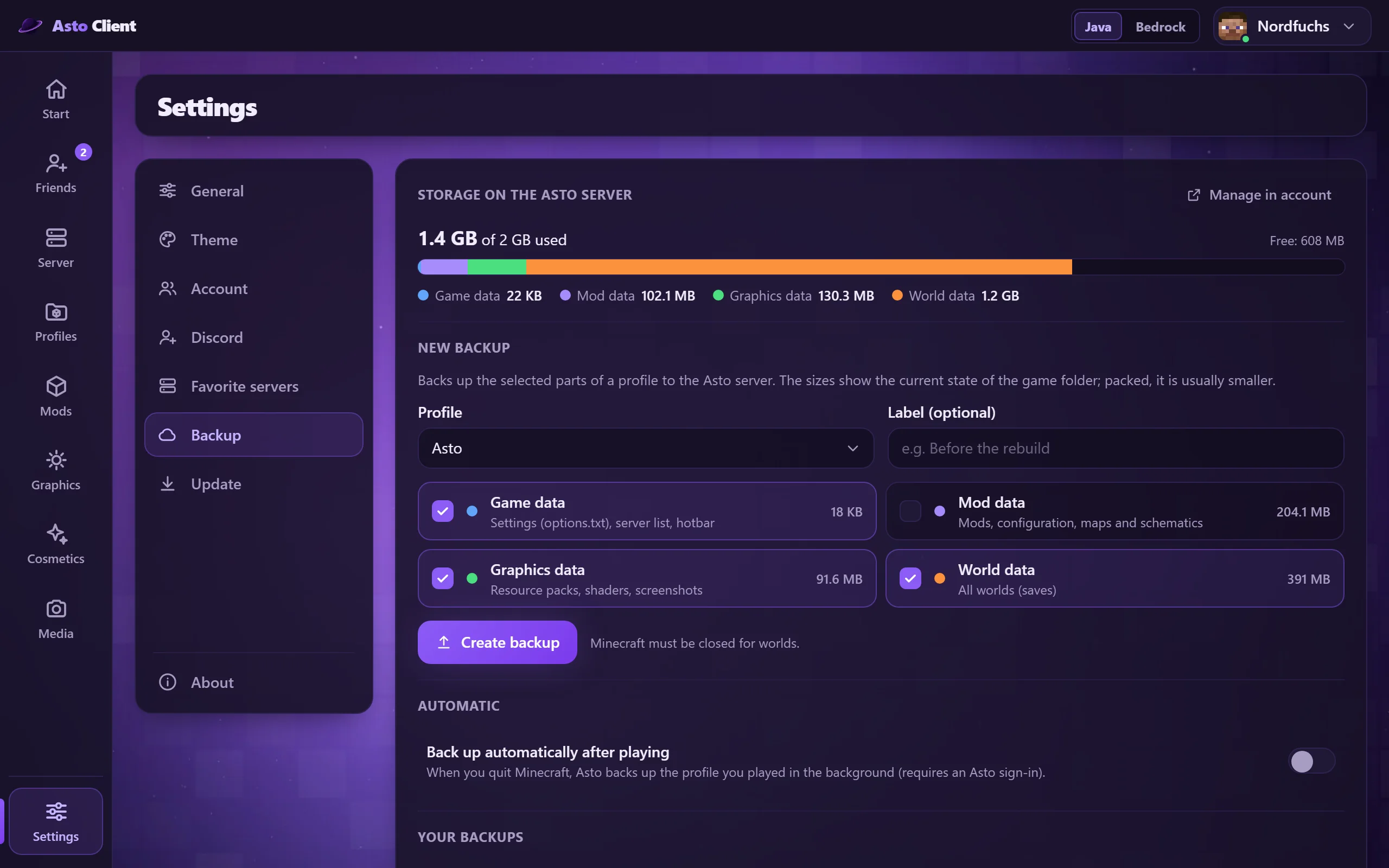
Back up your settings, mods, graphics data and worlds online and restore them on any PC. You choose which parts are included and can have it done automatically after playing.
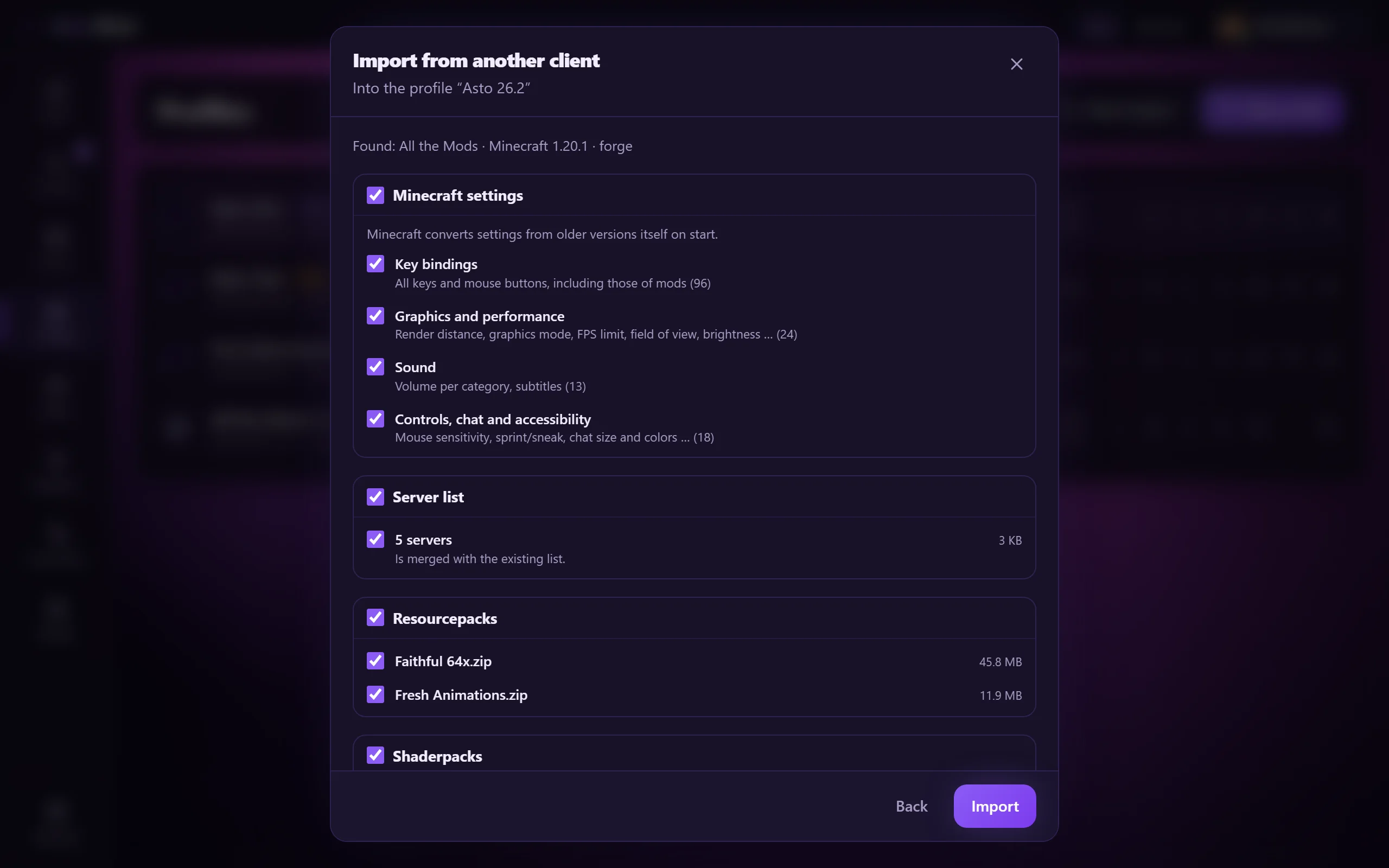
Switch from CurseForge, LabyMod, Badlion, NoRisk or Lunar without starting over. You tick what comes along: settings, key bindings, resource packs, server list, shader packs, screenshots, mod settings and, if you like, worlds. Asto suggests matching mods from Modrinth. A snapshot is made first, and the old client stays untouched.
One launcher for both editions, switchable in the header at the top.
Ready-tuned mods for Minecraft 26.2 on Fabric: performance, overlays, map, voice chat. Ready to play right away.
Mod packs from Modrinth with one click as a profile of their own, plus profile templates.
Find servers, save favorites and join right away, also from Minecraft's multiplayer list.
The launcher and, if you like, your mods keep themselves up to date, with undo. Stable or Beta.
Carry settings, graphics and shaders over to a new profile at the press of a button, share profiles by code or file.
As many profiles as you like with Vanilla, Fabric, Forge, NeoForge or Quilt.
Recognize common causes and fix them with one click, with a restore point. If your Microsoft sign-in has expired, sign in again with one click after a failed launch.
Settings, server list and profiles stay the same across several PCs.
Sign in with a password, Discord or Microsoft, on the website also with a passkey.
Shows your friends on Discord what you are playing and where.
Command palette with Ctrl+K, notifications, text size, contrast, reduced motion, tray and autostart.
Runs on Windows and Linux (AppImage or .deb package) and updates itself there.
On first start, a short guide takes you through your Microsoft account, your Asto account and the import from your old client.
Choose the launcher background: Asto glow, animation, gradient or a solid color.
Rent your own Minecraft server and manage it right in the launcher.
Asto brings everything you need while playing into the game: overlays, tools, a map, waypoints and a menu of its own. The Asto profile comes ready to go, and you can adjust everything in the Asto settings, which you open with the right Shift key.
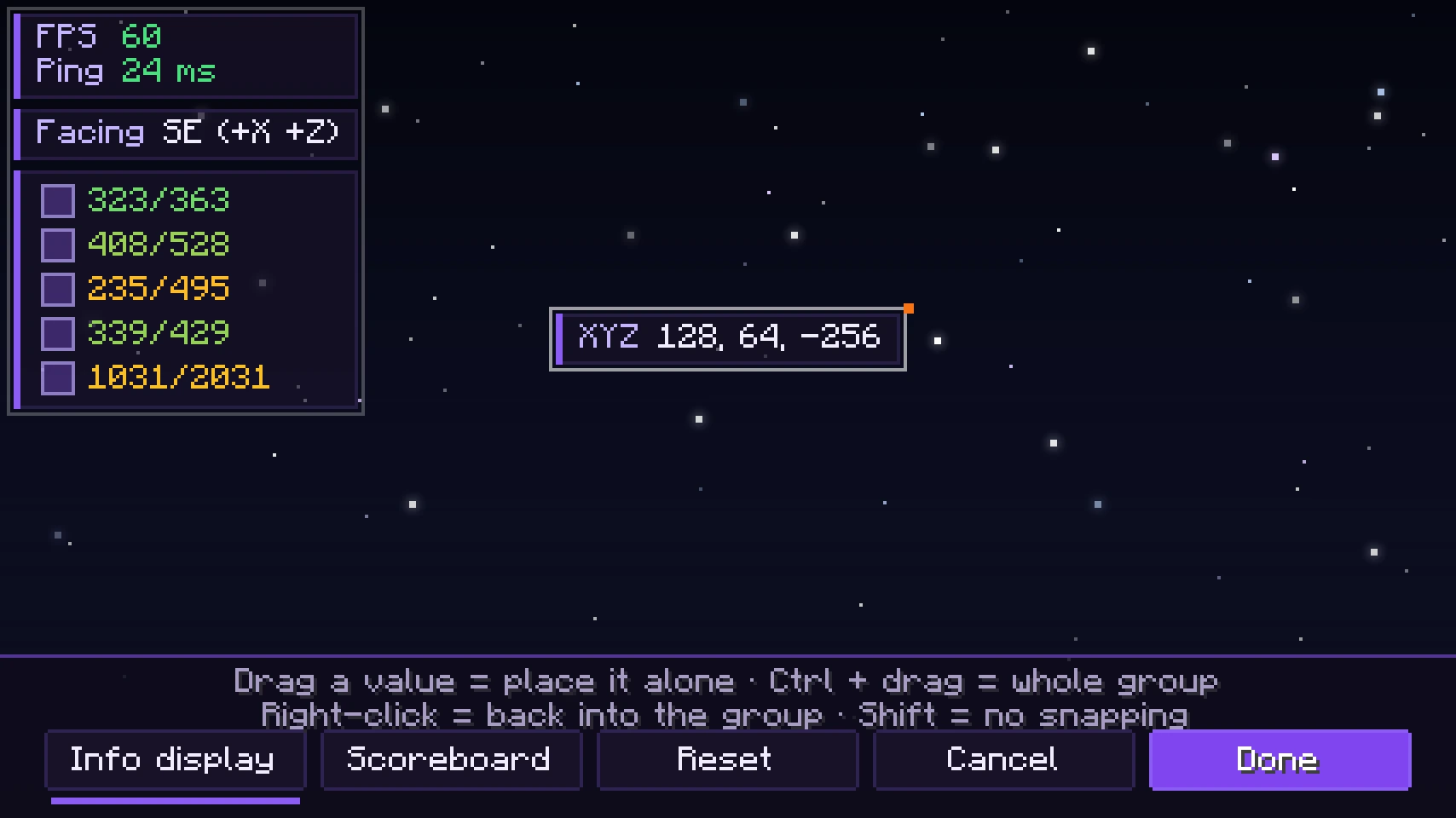
FPS, ping, coordinates, facing direction, time and much more. You drag every value to its spot, pick colors and can hide the labels so that only the values show.
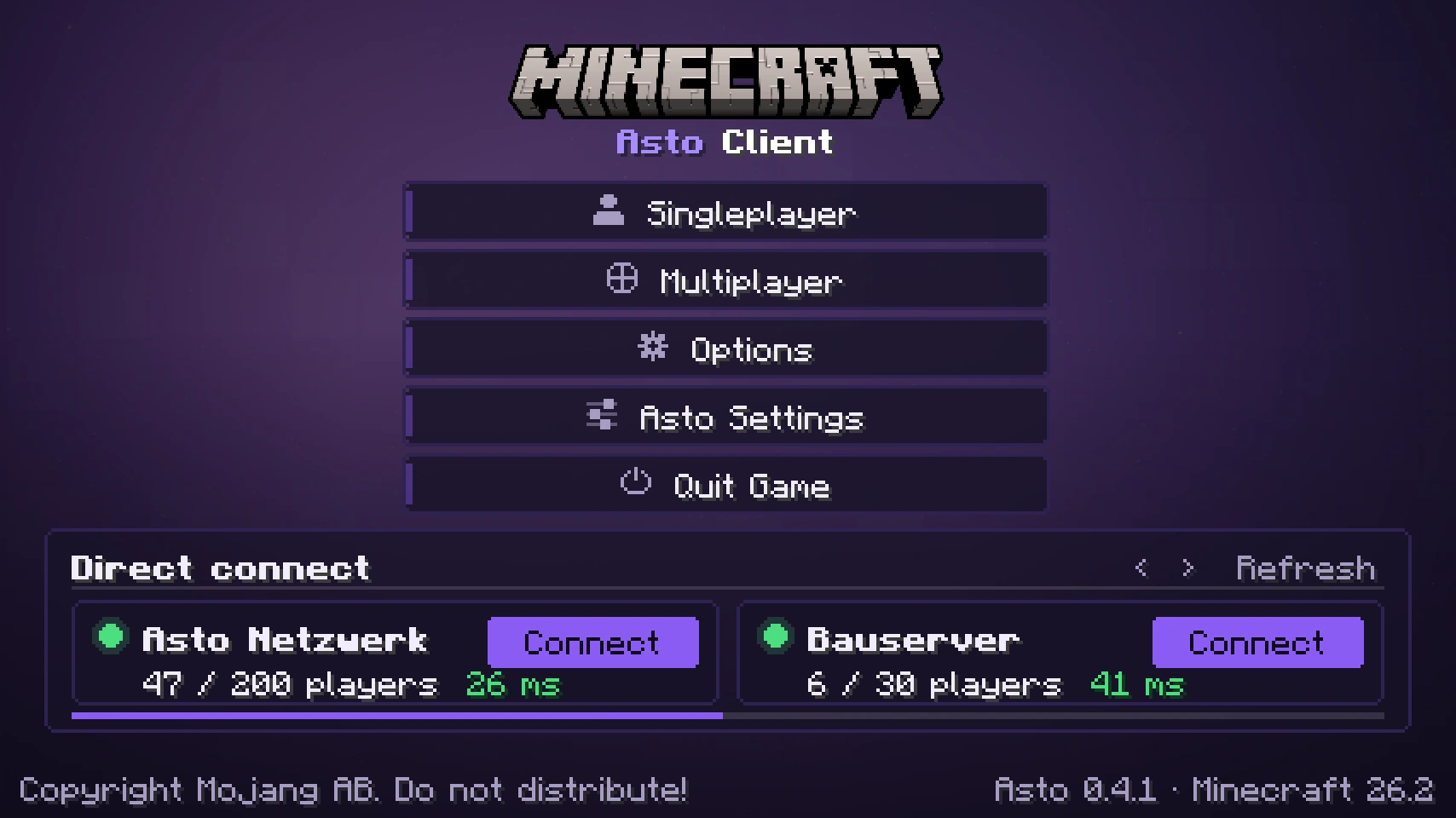
The Asto title screen with quick connect, plus pause and multiplayer menus in the Asto look. You set backgrounds, colors, transparency and the position of the buttons yourself.
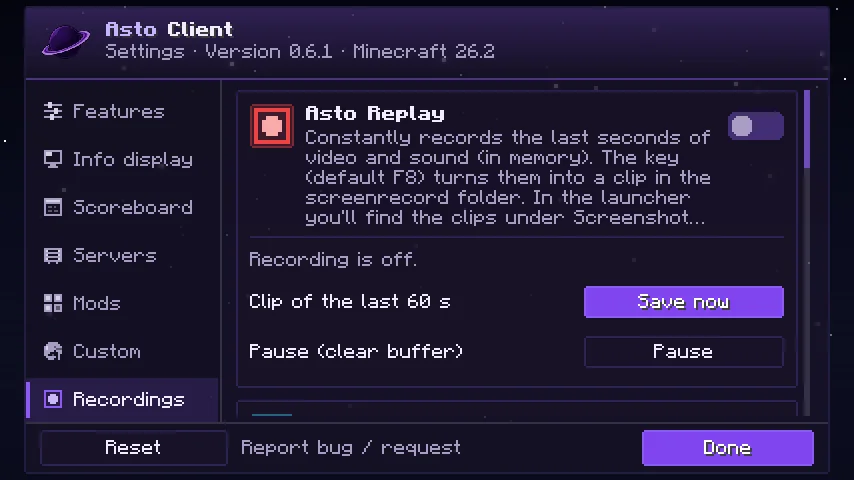
Asto records the last seconds of your game in the background, with sound. Press one key and the clip is saved; in the launcher you watch it right away. Windows only.
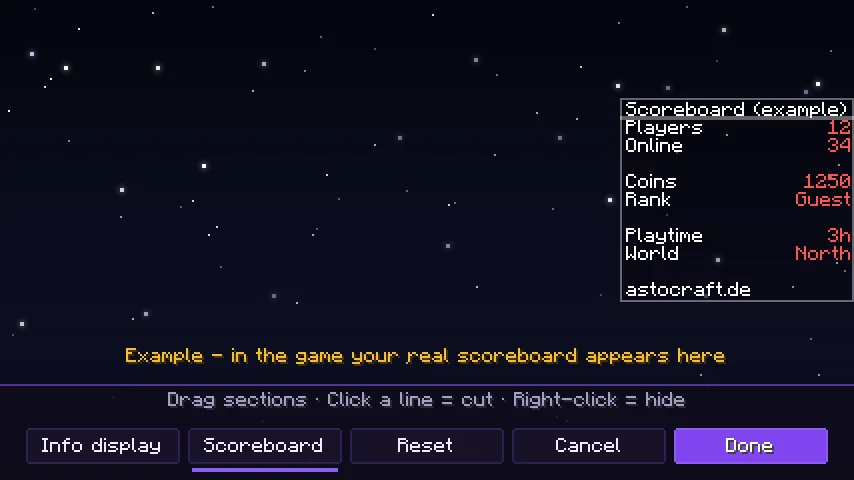
Cut the server's scoreboard into sections, move it freely or hide it. In the editor you drag everything to its place; only the display changes.
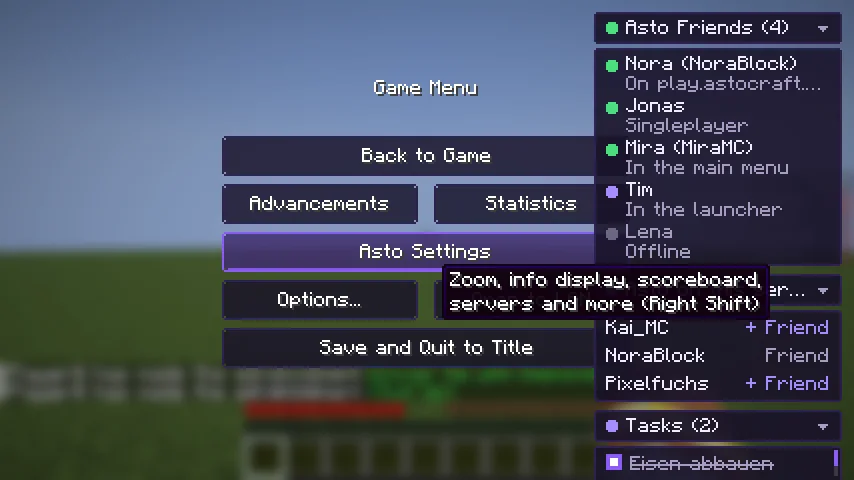
In the pause menu the list of your Asto friends unfolds, plus “Asto on this server” with a friend request in one click and your task list. The small Asto logo behind a name shows who also uses Asto.
Hold the zoom key and the mouse wheel changes the magnification.
Everything bright, even in caves and at night. Toggle it with a key.
At the press of a key the camera detaches from the player and flies around freely, faster with Shift. It never flies through blocks, so it is no x-ray, and you can't touch anything meanwhile. You can see yourself with skin and armour. It only starts while you stand still on the ground, so nothing ever looks like flying to the server. You set the key yourself.
Shows your playtime on the world, the same number as in the statistics, with days from 24 hours (1d 10:43:12). Centered above your hearts by default, freely movable in the arrange editor. Color and size are adjustable; it is off by default.
A box at the top centre shows the picture and name of whatever your crosshair points at: blocks, crops with growth, fluids, animals, monsters and players with health. Each kind can be switched off on its own; background, size and position are adjustable. Off by default.
Shows saturation as a golden layer on the hunger bar, a flashing preview while you hold food, and the values in the tooltip of food. The three parts can be switched off separately; off by default.
Many XP orbs close together are drawn as one larger orb: a calmer picture and more FPS in XP farms. Visual only; every orb is still collected. Off by default.
Servers you added as an IP address show up in the server list and connect often seconds faster because the slow reverse name lookup is skipped. Off by default, can be switched on in the settings.
Distant landscape far beyond the normal view distance.
Armor and the item in your hand with their durability, as a number or percent.
Shulker box contents in the tooltip, tool durability and info about blocks and mobs when you aim at them.
The player's head next to every chat message.
A long chat history (up to 5000 messages) so that nothing gets lost.
The Asto profile brings Sodium, Lithium and further optimizations and gets more FPS out of your PC. Shaders are possible.
Remember places and see them in the game with name and distance, no teleporting.
A big map and, if you like, a minimap.
Your own to-do list in the pause menu: write, tick off, edit, delete.
Voice chat with players near you, on servers that offer it.
Move and sort faster, find key bindings easily.
Colored, animated names and capes (animated ones too, they also lie on the elytra) in the tab list and above the heads of other Asto players. A small badge behind the name shows who uses Asto, in chat too, and can be customized. You switch name, cape and badge live in the game under Asto settings > Cosmetics.
See the capes from OptiFine, LabyMod and MinecraftCapes on all players. You switch each source on separately.
Favorites from the launcher show up in the multiplayer list.
A button in the Asto settings takes you straight to the report page.